Nozzles: Materials, Size and How to Replace Them
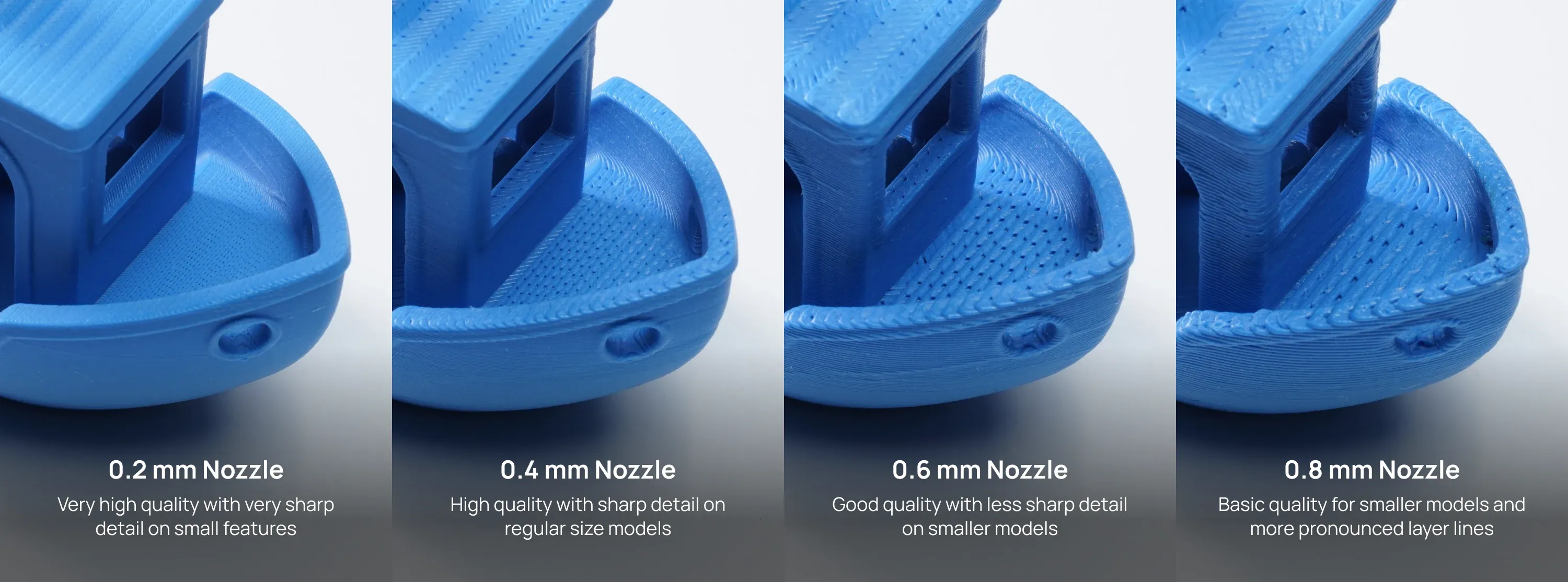
There are four different nozzle sizes available for the X1C: 0.2 mm, 0.4 mm, 0.6 mm, and 0.8 mm. The nozzle size represents the diameter of the tip of the nozzle through which filament is extruded. Each size affects the level of detail and speed of your prints.
0.2 mm nozzle
This is the smallest nozzle size available, ideal for producing very fine details and high-resolution prints as it allows using lower layer heights, increasing print quality. It’s perfect for intricate models or parts that require sharp, precise features, as the small details of the 3D printed object will be clearer and better defined.
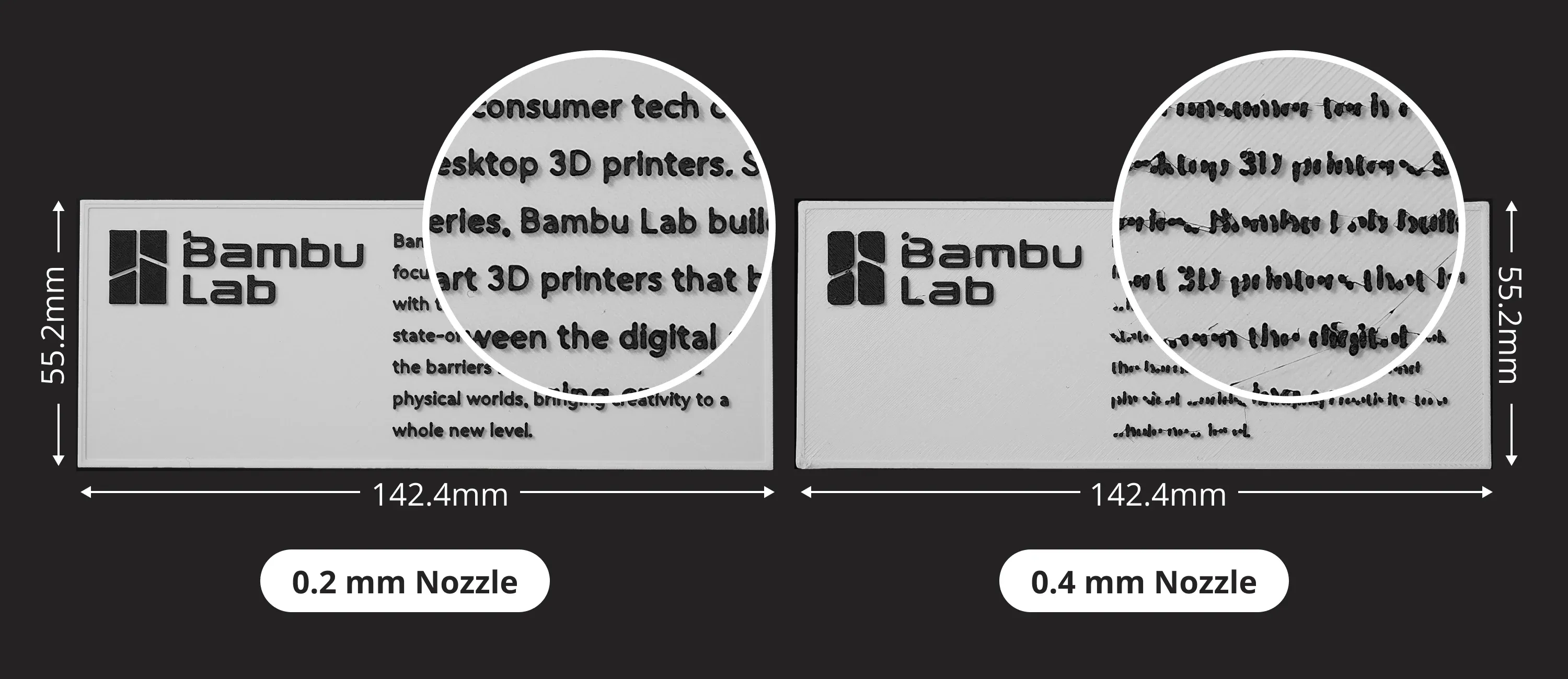
Using a 0.2 mm nozzle also comes with several drawbacks. Prints tend to be less strong compared to those made with larger nozzles because the thinner extrusion lines result in weaker layer adhesion. The print speed is significantly slower since the nozzle can only deposit small amounts of material per pass, requiring more layers to complete a print.
Additionally, the smaller orifice makes it more prone to clogging, especially with impurities or inconsistent filament diameters. Lastly, fiber-infused filaments, such as those containing carbon fiber or glass fiber, are incompatible with a 0.2 mm nozzle because the fibers can easily block the tiny opening.
0.4 mm nozzle
This is the most common and versatile nozzle size. It strikes a balance between print quality, detail and speed, making it great for most types of 3D prints. It’s a go-to for hobbyists and general-purpose printing, being compatible with most filaments on the market.
It can be used with fiber-infused filaments, but the 0.4 mm nozzle can be more prone to clogging. Due to this consideration, it is recommended to use a larger nozzle to minimize the chances of a clog for such filaments.
0.6 mm nozzle
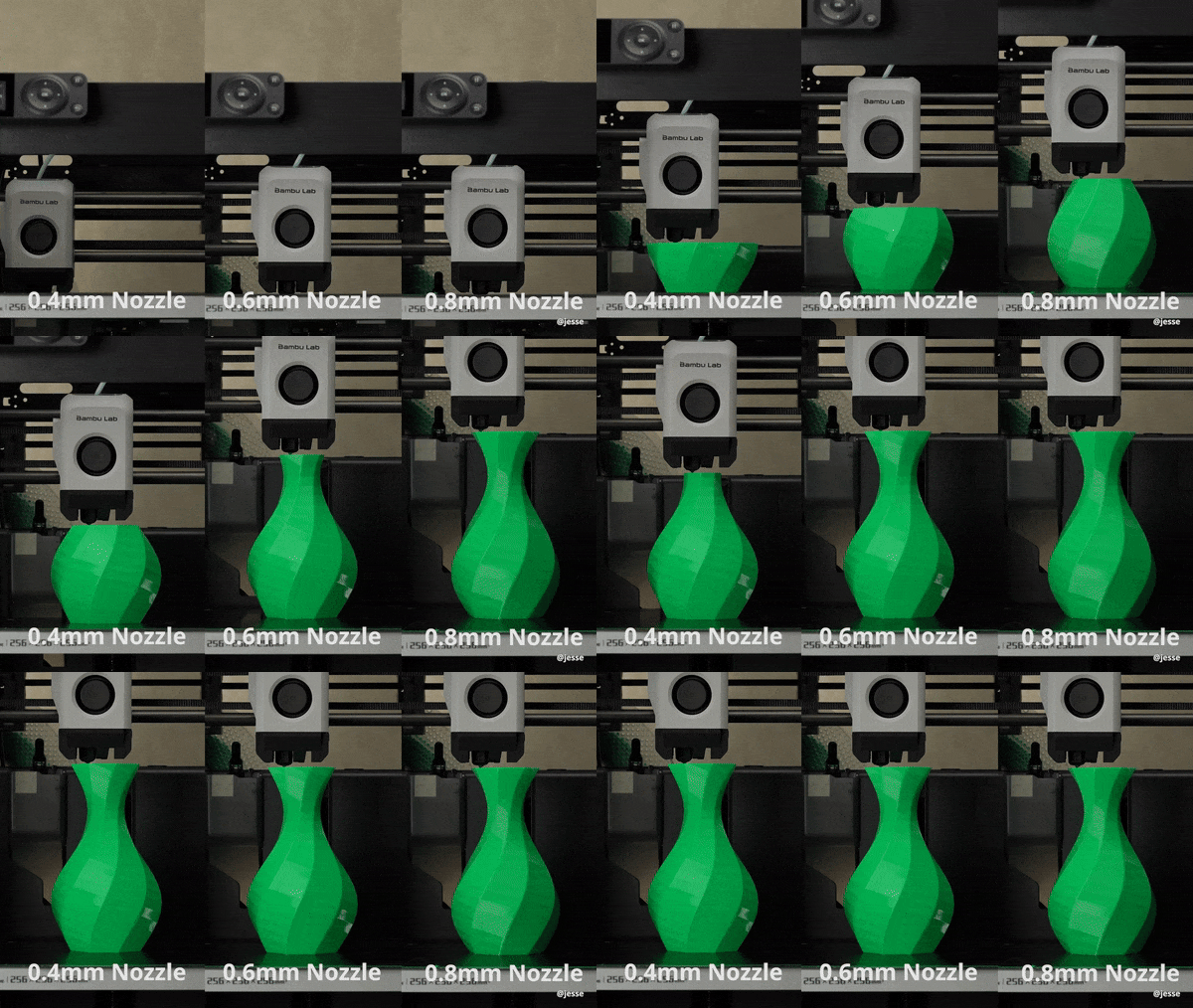
Larger than the standard 0.4 mm, this nozzle can print faster because it extrudes more material at once. It’s good for parts that don’t need as much fine detail but require faster print times or more strength.
A key advantage of using a 0.6 mm nozzle is its reduced risk of clogging when printing fiber-infused filaments, such as those with carbon or glass fibers. The larger orifice allows the filament’s particulates to pass through more easily, preventing blockages and ensuring smoother extrusion.
0.8 mm nozzle
This is the largest nozzle of the four and best for printing very strong, solid parts quickly. It sacrifices detail, but it’s great for larger, bulkier prints or when time and strength are more important than precision.
Differences in material
Nozzles come in two different material variants:
- Stainless Steel: It has a grey heatsink and can be used for filaments that don’t contain abrasive particles, like PLA, PETG, TPU.
- Hardened Steel: It has a black heatsink and can be used for any filaments, including filaments that contain abrasive particles like carbon fiber glass-filled or glow-in-the-dark filaments.
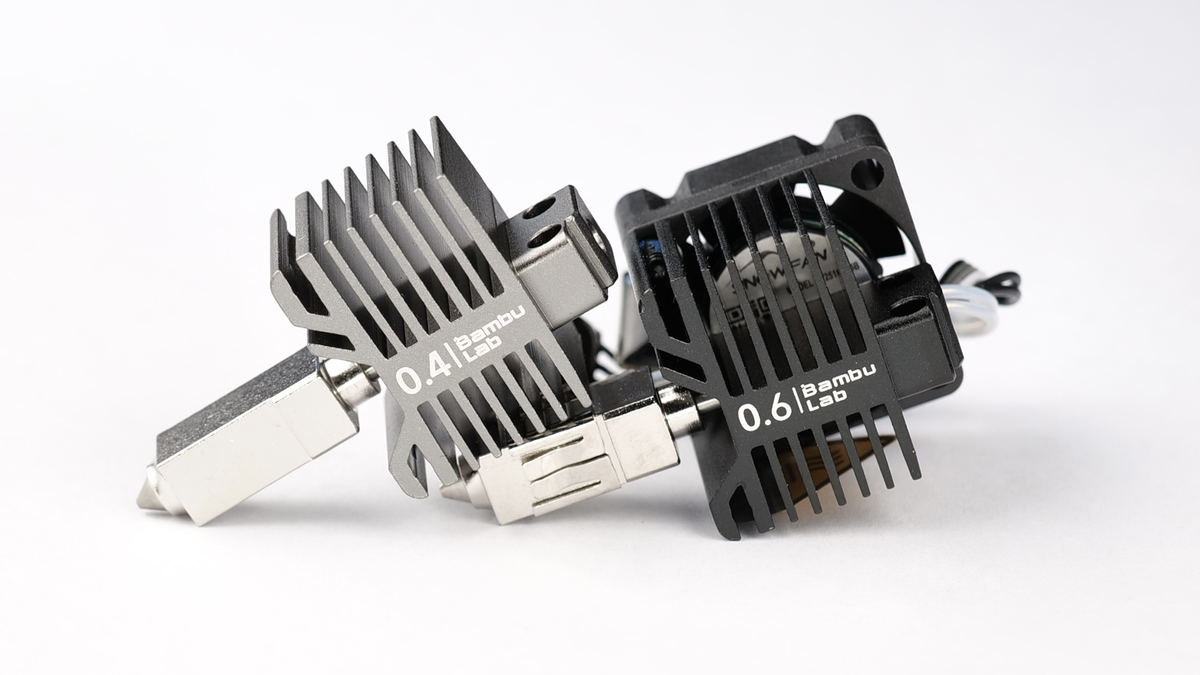
Regular stainless steel is softer compared to hardened steel, which goes through a process that makes it harder and more durable. This means that while standard stainless steel nozzles might work fine for basic plastics like PLA or PETG, hardened steel is better for advanced materials that would otherwise erode a softer nozzle over time.
When printing abrasive or carbon-infused filaments, the two most crucial factors to consider are nozzle size and nozzle hardness/material. A properly sized nozzle helps prevent clogs, while a hardened or wear-resistant nozzle, such as one made from Hardened Steel, ensures longevity and prevents premature wear.
The Bambu Lab X1C 3D printer is delivered with a Hardened Steel 0.4 mm nozzle which can print any filament which is compatible with the X1C.
Differences in variants
The X1C 3D printer nozzles come in two types:
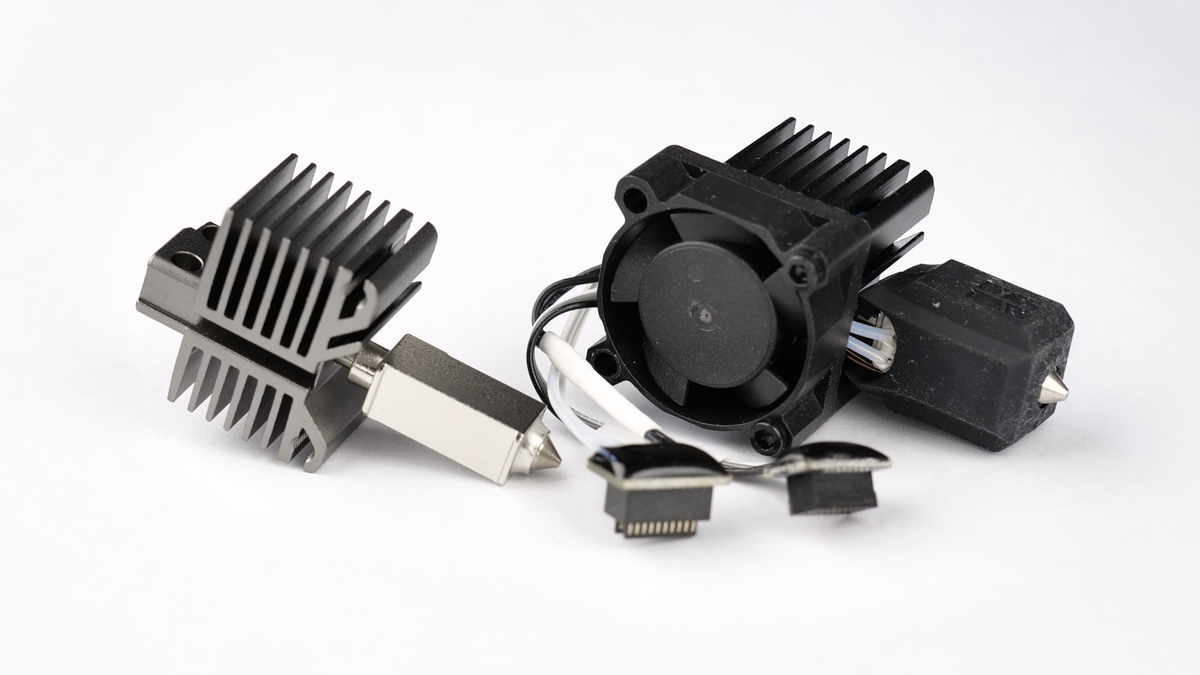
Nozzle only – just the metal part, without electronics, ideal for basic replacements where the electronics can still be used and can be migrated to the new nozzle. Cheaper to replace, as the electronics can be re-used.
Complete hotend – includes the nozzle, heater, thermistor, silicone sock and fan, allowing quick and easy swaps without extra assembly. This version is a bit more expensive, but it brings the quick replacement benefits.
In the image below, you can easily see the difference between them.
How to replace the X1C nozzle?
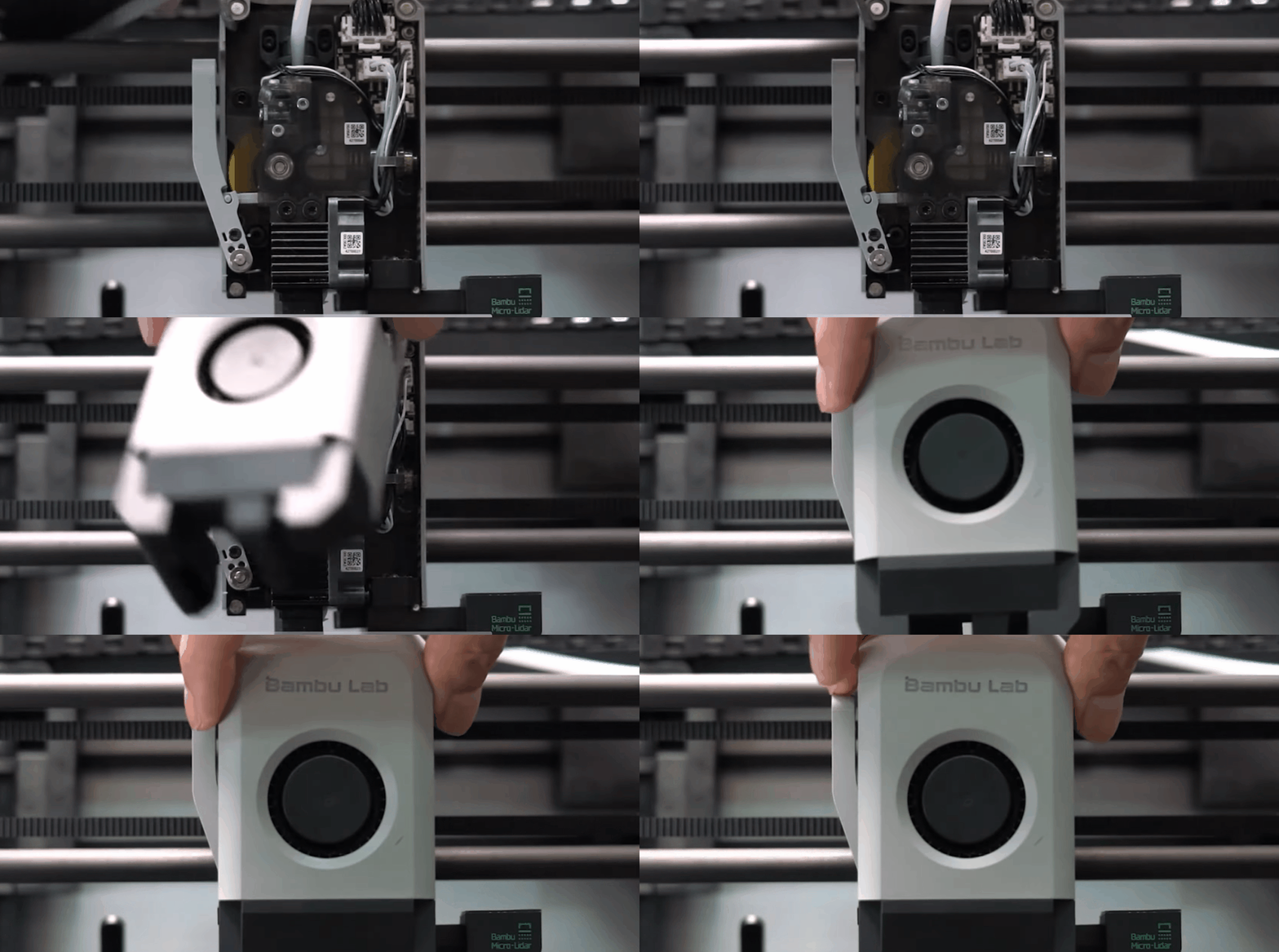
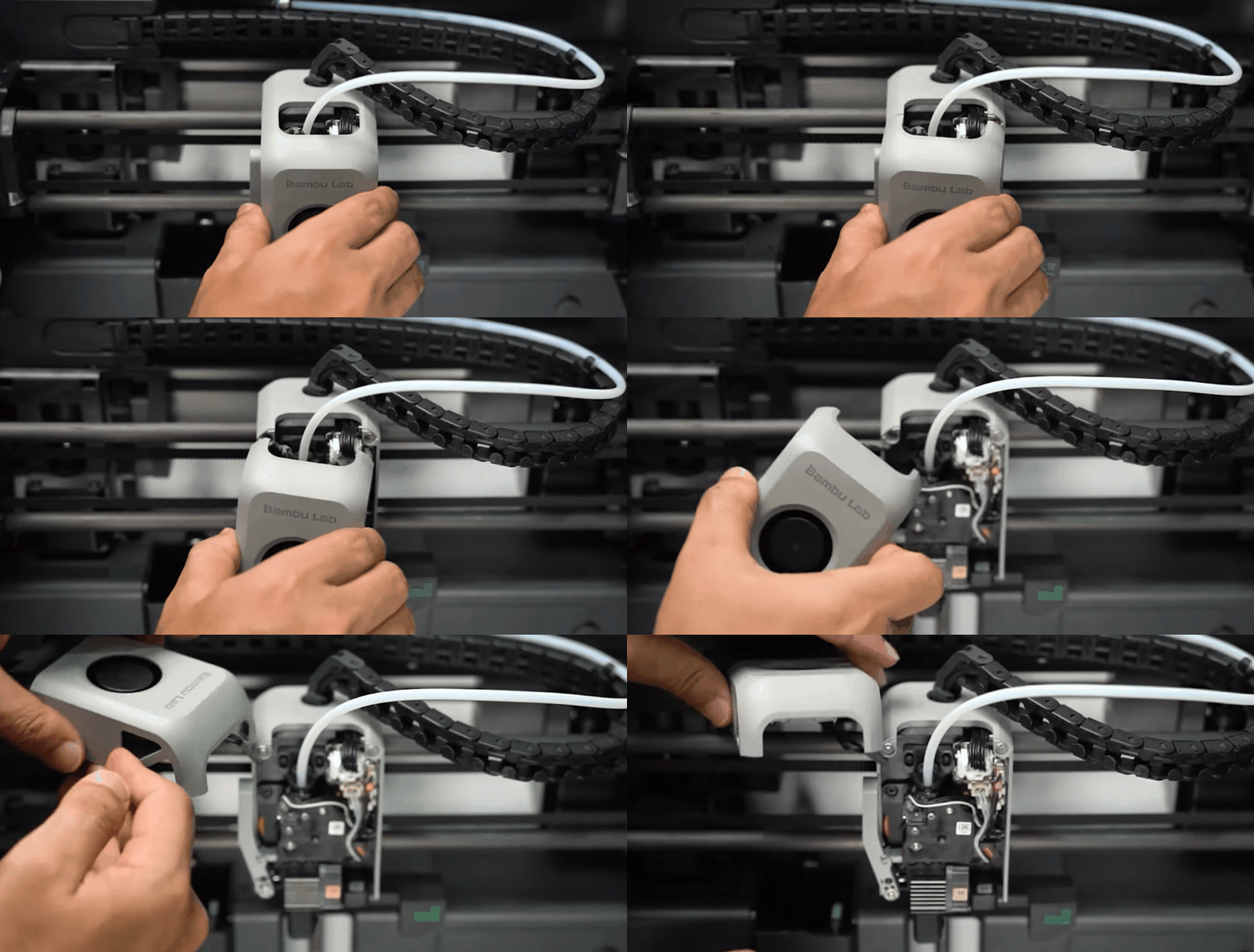
To replace the X1C nozzle, start by opening the front cover, which is held magnetically to the toolhead. Once the front cover is opened, rest it on the carbon rod, as shown.
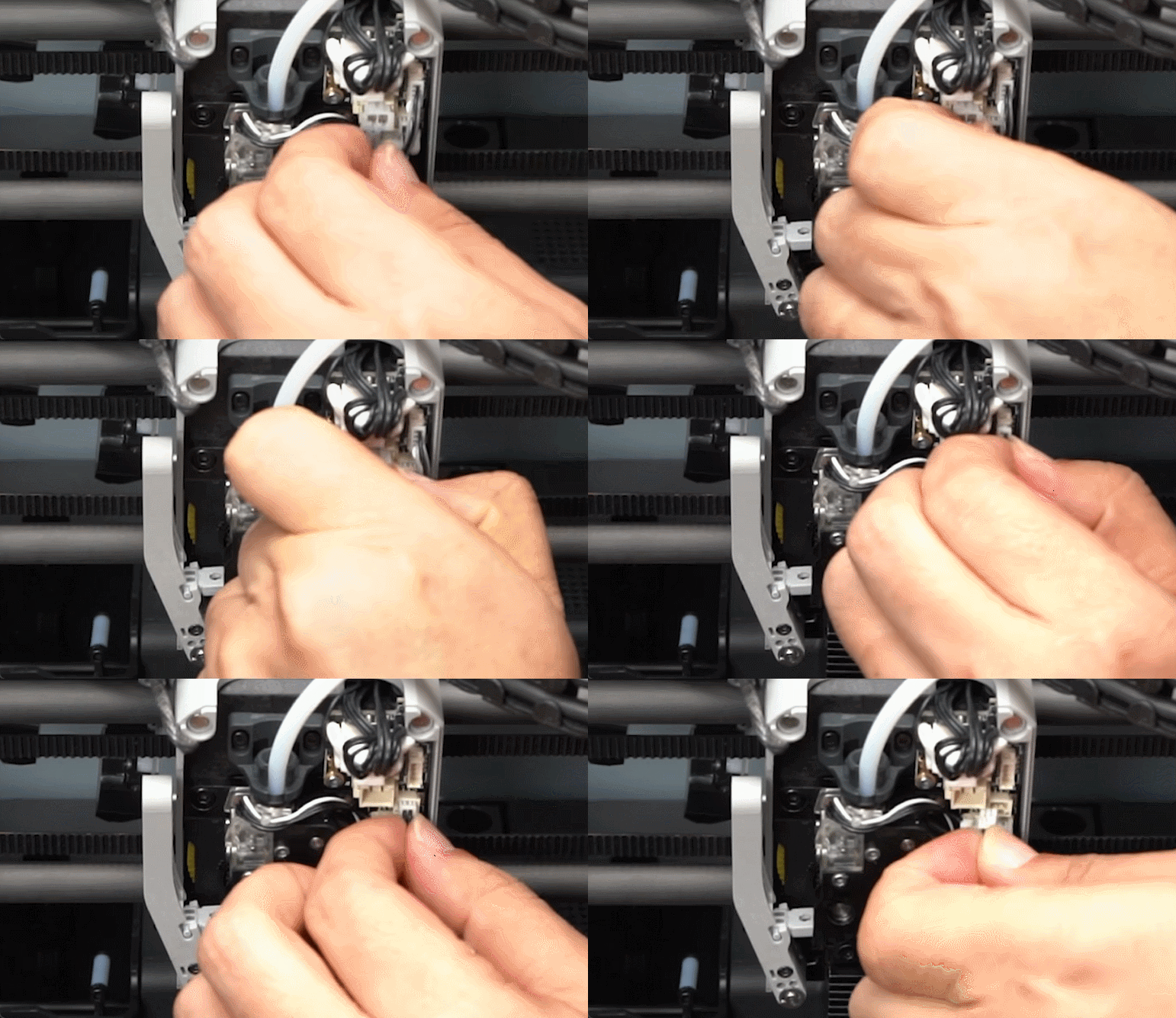
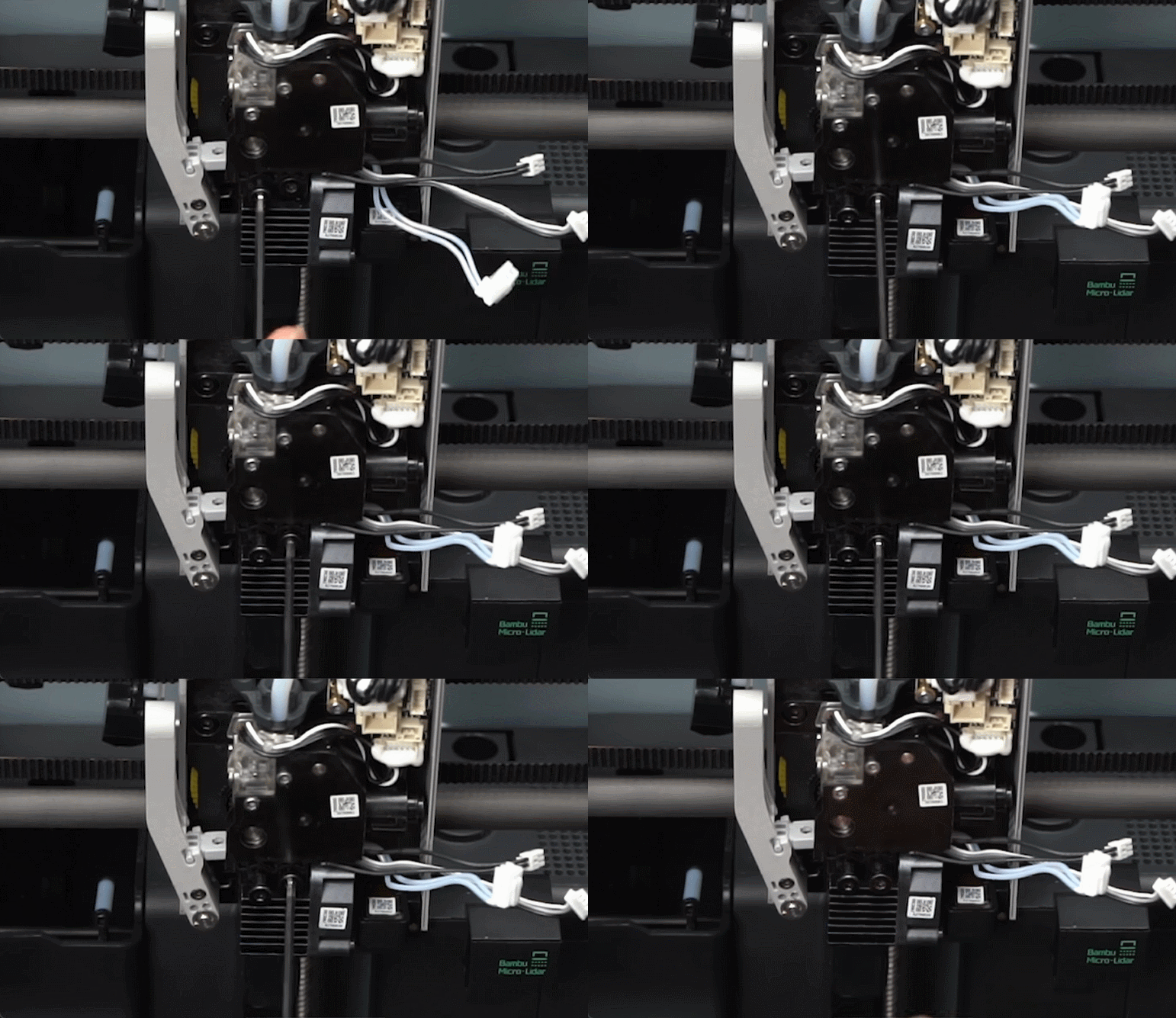
Next, disconnect the three hotend connectors.
In the next step, remove the two screws holding the hotend in place.
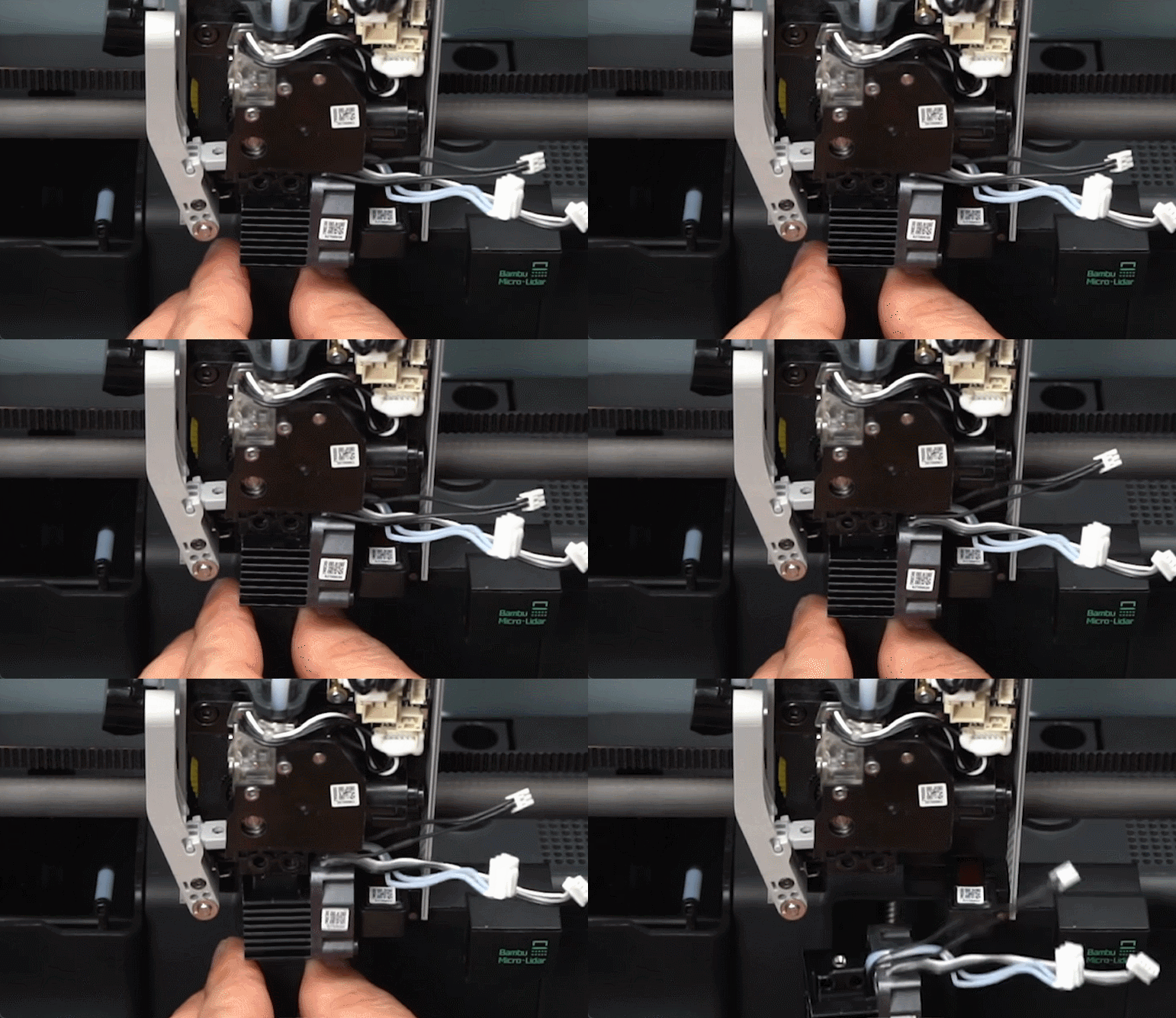
Next, gently pull the hotend downwards, as shown.
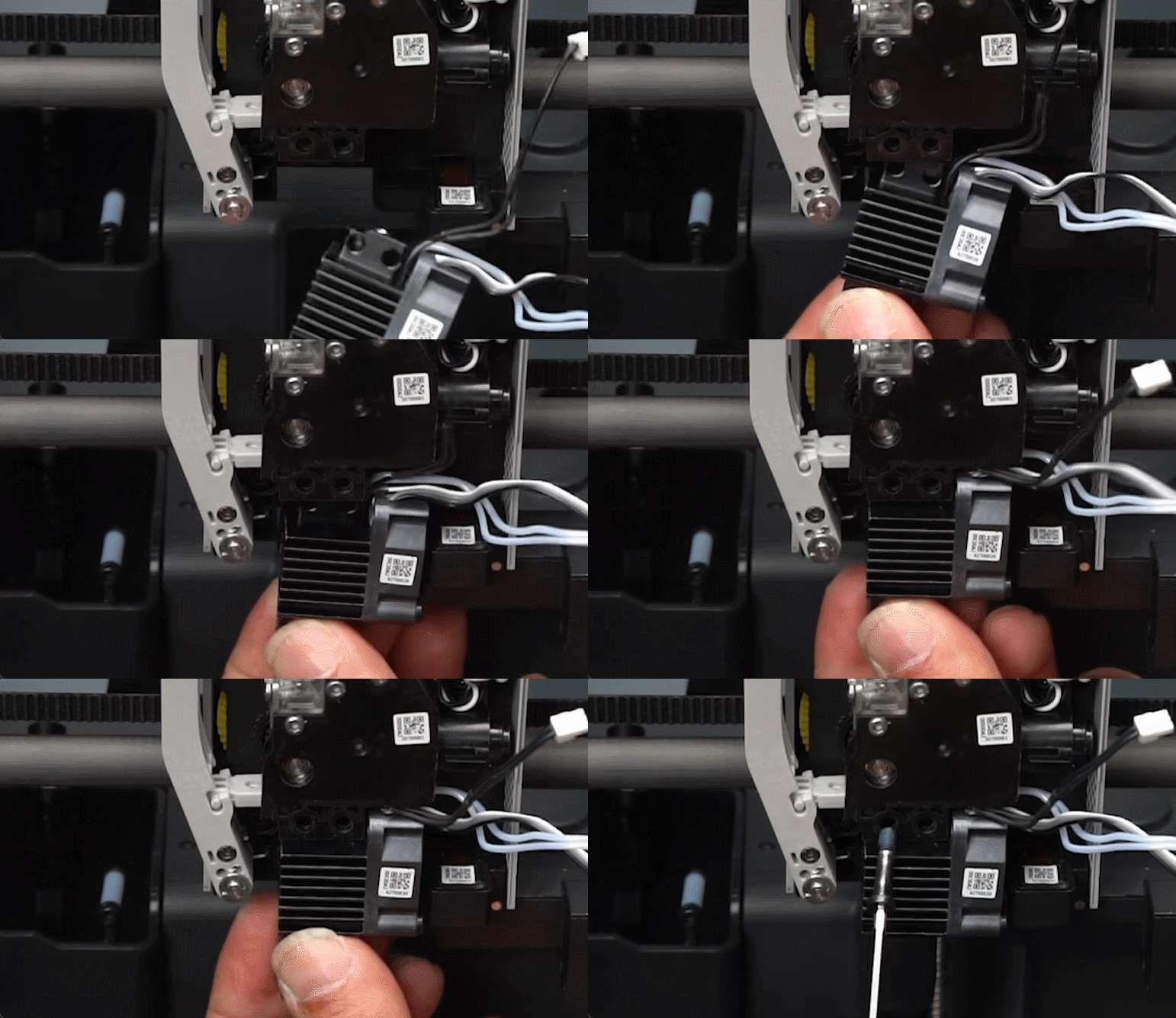
How to re-install the hotend?
Carefully push the hotend upwards, aligning the holes of the extruder with the ones on the hotend.
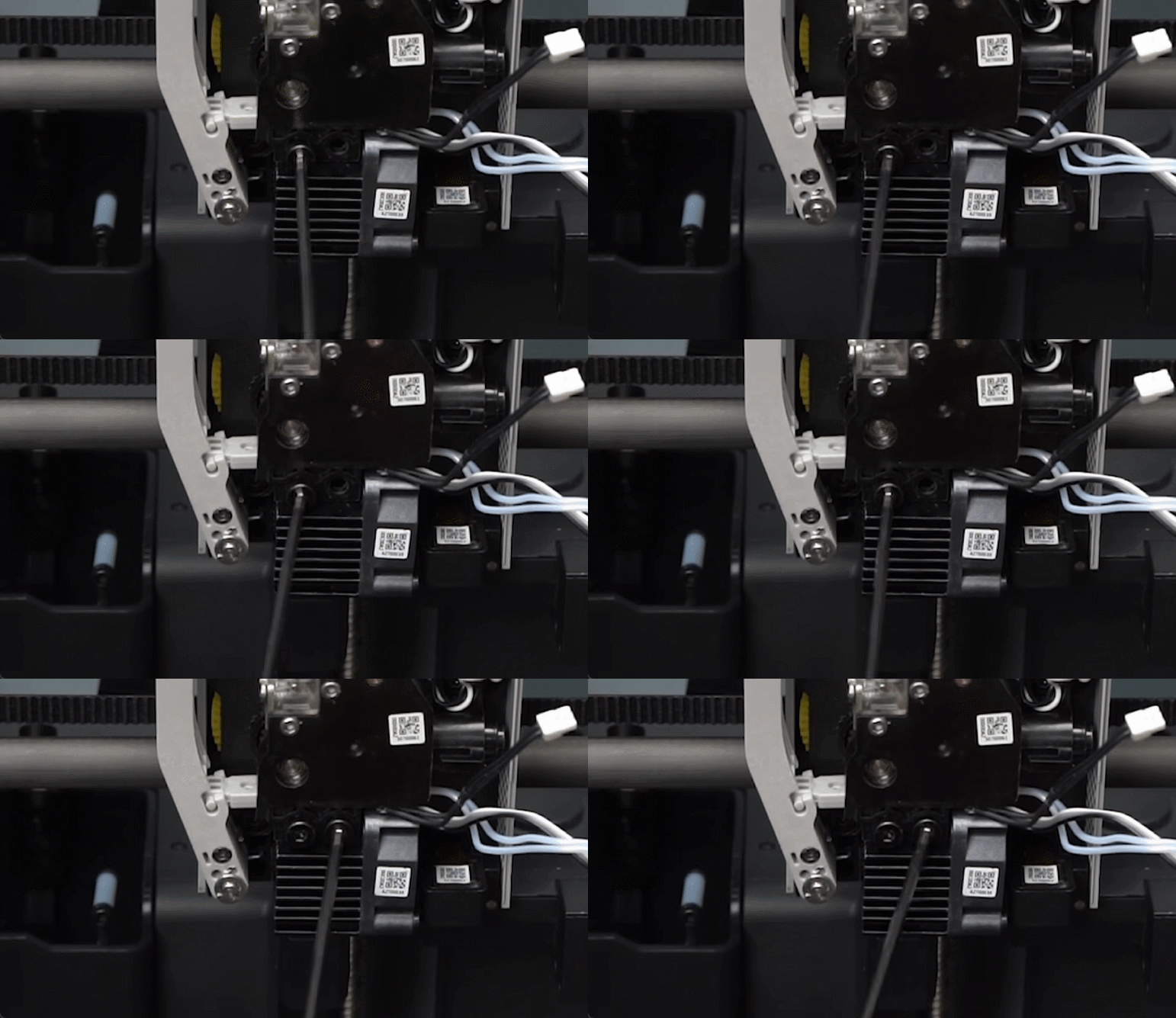
Once the hotend is aligned, tighten the two screws holding the hotend in place.
Next, carefully insert the three hotend cables by aligning them, then gently push them in, following the order below.
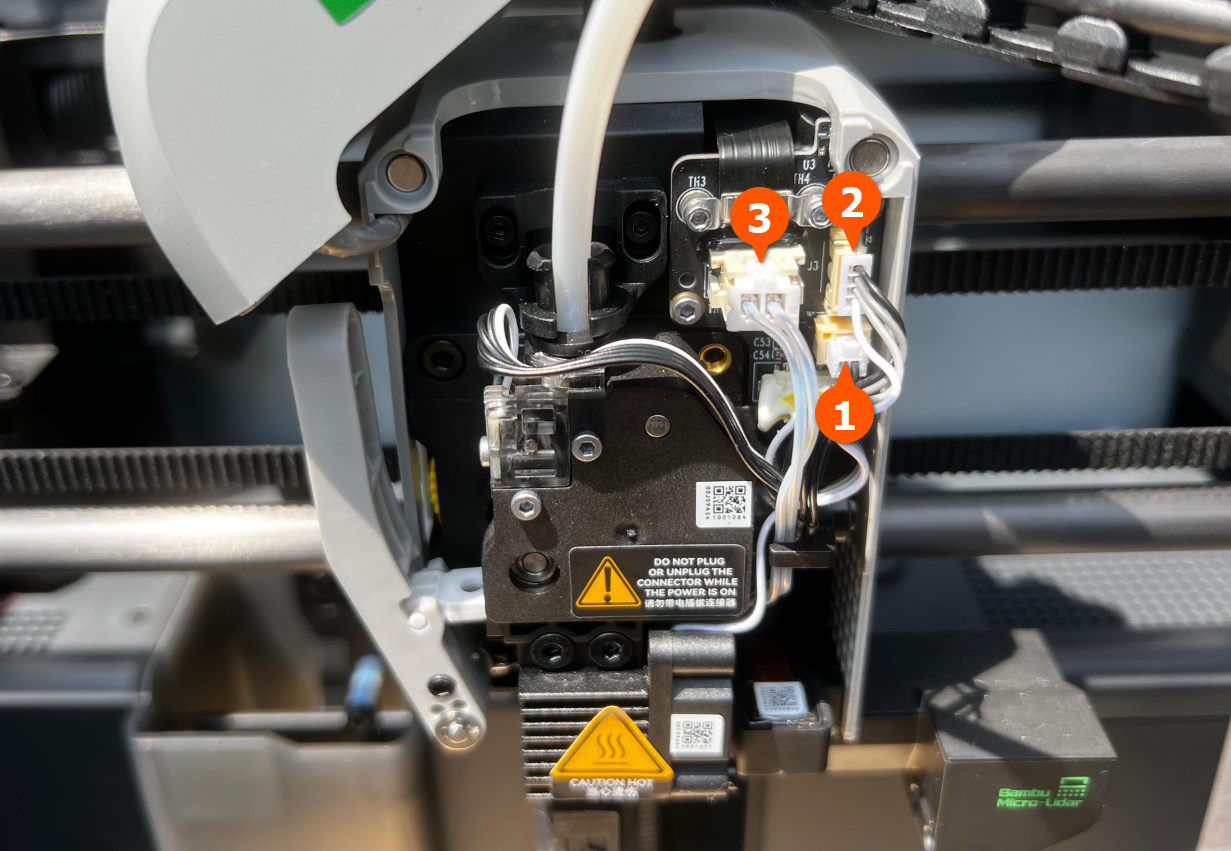
Finally, place the front cover on the toolhead.