
Common 3D Printing Terms
The most popular file formats for 3D printing
STL (Stereolithography)
A popular format used in 3D printing that encodes 3D models as a mesh composed of triangular facets, representing the surface geometry of the object. It is widely supported by 3D printers and slicing software, but it lacks information on color, texture, and other attributes, focusing solely on the shape of the model.
3MF (3D Manufacturing Format)
A modern file format designed for 3D printing that supports a rich set of features, including color, texture, and material properties, enabling more complex and detailed models. Unlike STL, 3MF can store multiple objects, printing settings, and other metadata in a single file, making it more versatile for advanced 3D printing applications.
G-code (Geometric Code)
G-code is the programming language used to control 3D printers and CNC machines. In 3D printing, G-code is a set of instructions that tells the printer exactly how to move, where to deposit material, and how fast to print.
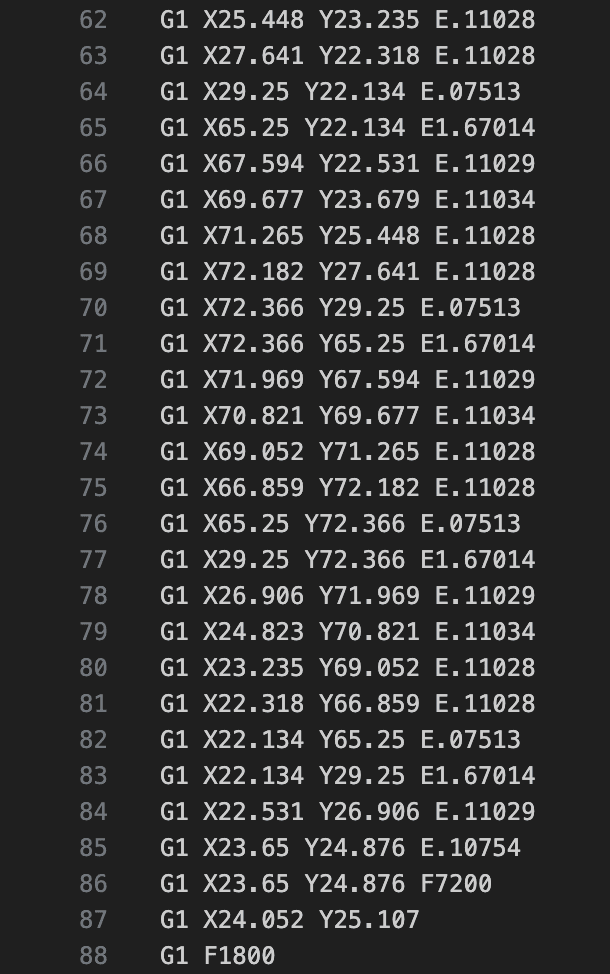
Bambu Studio can export in G-code which also contains specific G-code commands that are only available for Bambu Lab printers.
Terms related to printing and hardware
Nozzle Clog
A nozzle clog occurs when filament gets stuck inside the nozzle, blocking the flow of melted plastic. This can happen due to debris like dust and filament additive particles, improper temperature settings, or filament residue building up over time.
A clogged nozzle can lead to poor print quality, inconsistent extrusion, or the printer stopping mid-print. If the hotend is heated to the correct printing temperature for that filament, but the filament can’t be extruded, there’s a good chance the nozzle is clogged.
Filament Sensor
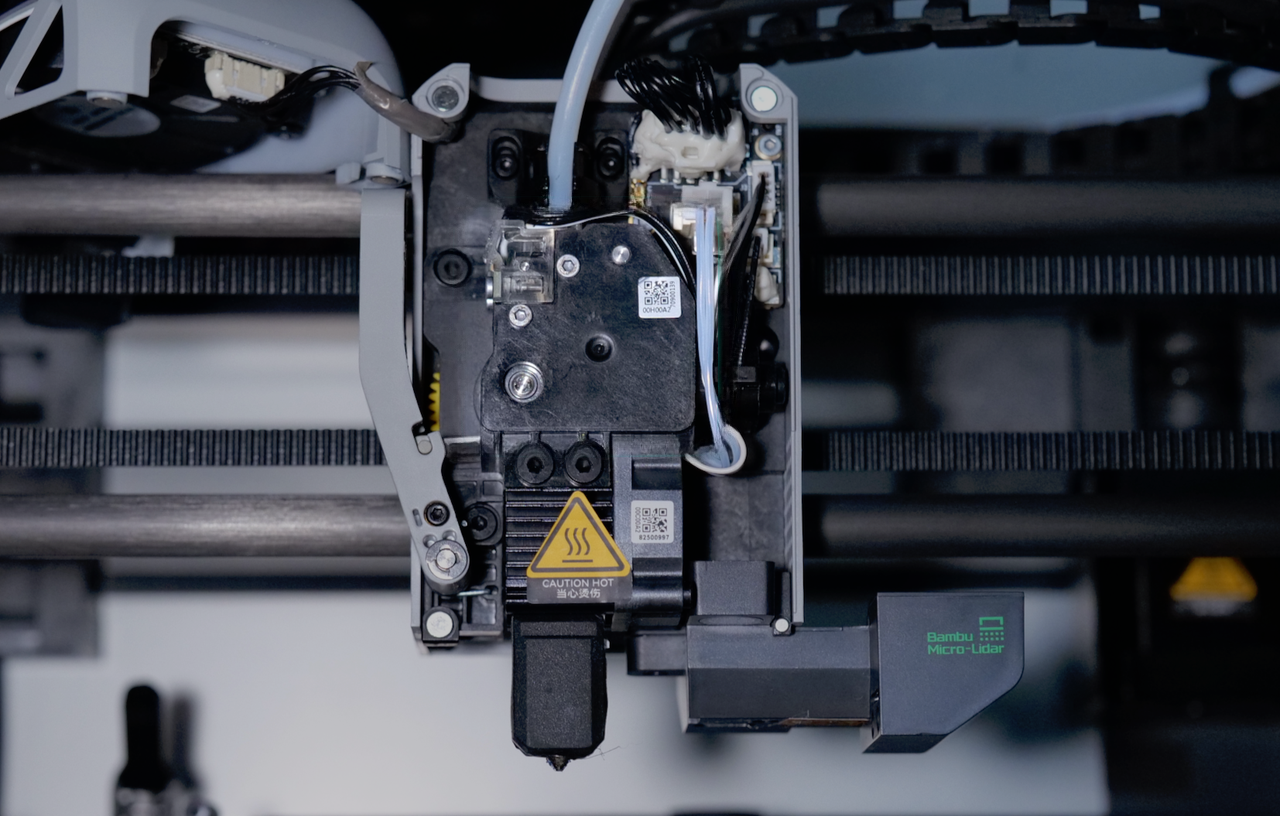
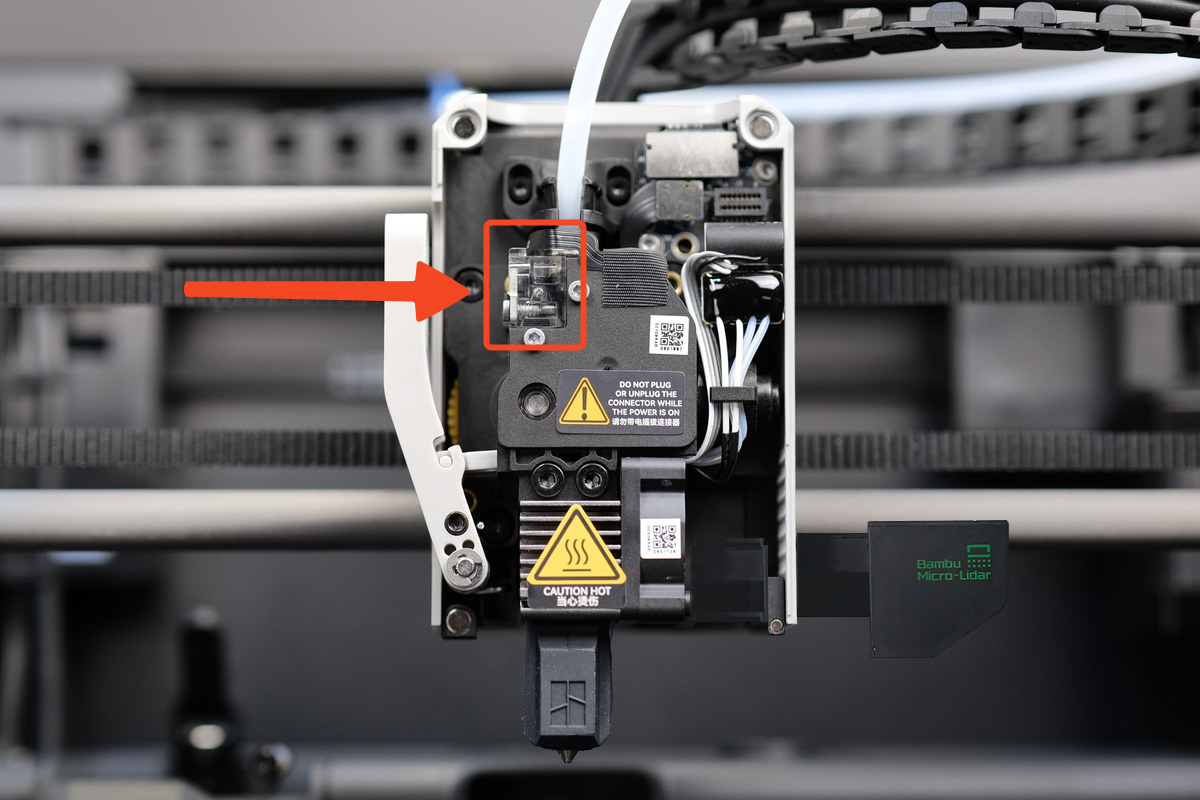
This sensor detects the presence or absence of filament and pauses the printer if the filament runs out, breaks, or jams, preventing the printer from continuing without material and ruining the print. Once new filament is loaded, the printer can resume from where it left off, saving time and material. For the X1C, the filament sensor is located on the extruder and is connected to the toolhead with the black ribbon cable.
Bed Leveling
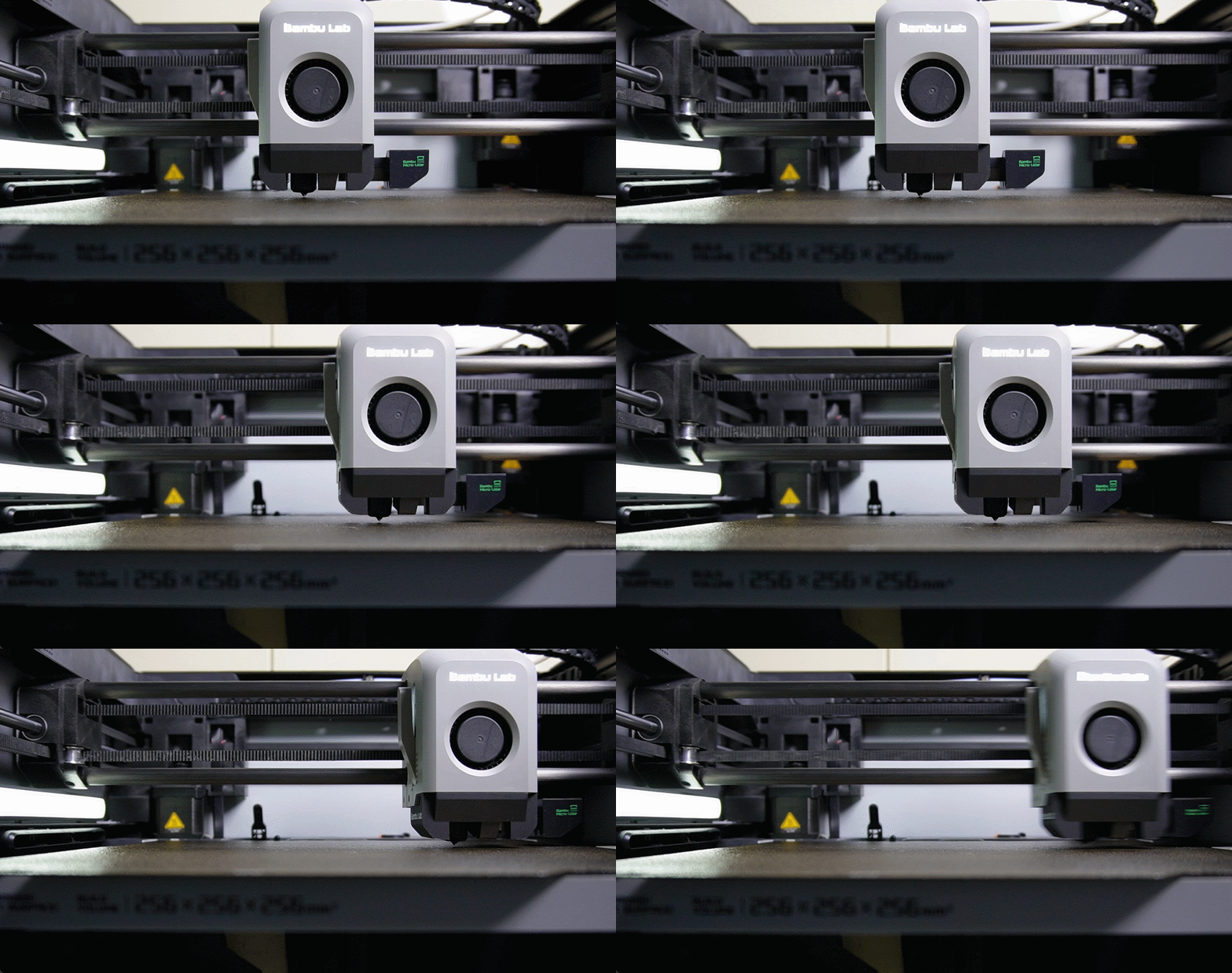
The process of adjusting the heat bed of a 3D printer to ensure it is perfectly parallel to the movement of the nozzle, by probing the surface of the build plate before starting a print and generating a surface map. The printer then automatically compensates for any bed unevenness during the print by adjusting the nozzle height dynamically.
Terms related to Slicer Software and Print Quality
Slicing
The process of converting a 3D model into thin horizontal layers and generating a file with precise instructions for the printer. It defines how the printer will build the object, controlling settings like layer height, infill, and print speed for optimal results. The software is called a Slicer, with Bambu Studio being the slicer for Bambu Lab 3D printers.
Layer height
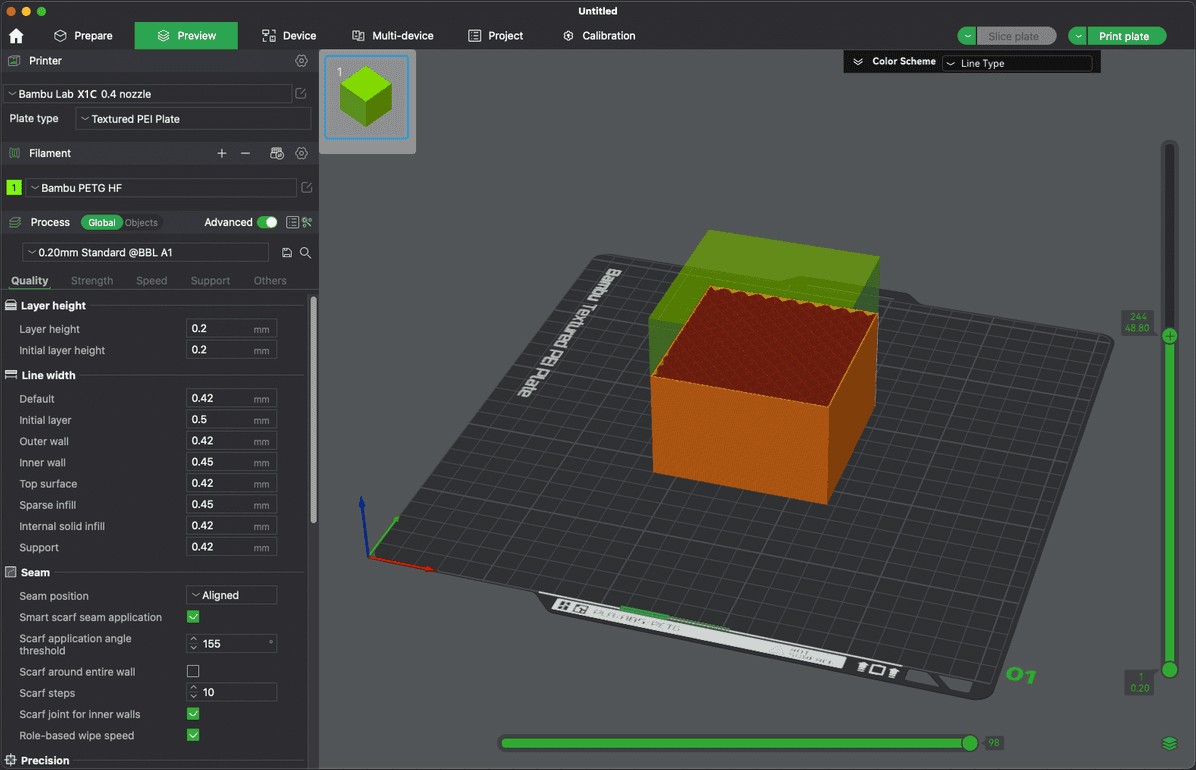
The thickness of each individual layer of filament deposited during the printing process, typically measured in millimeters. A smaller layer height results in finer detail and smoother surfaces but increases print time, while a larger layer height could speed up printing but may sacrifice some detail and finish quality.
Infill
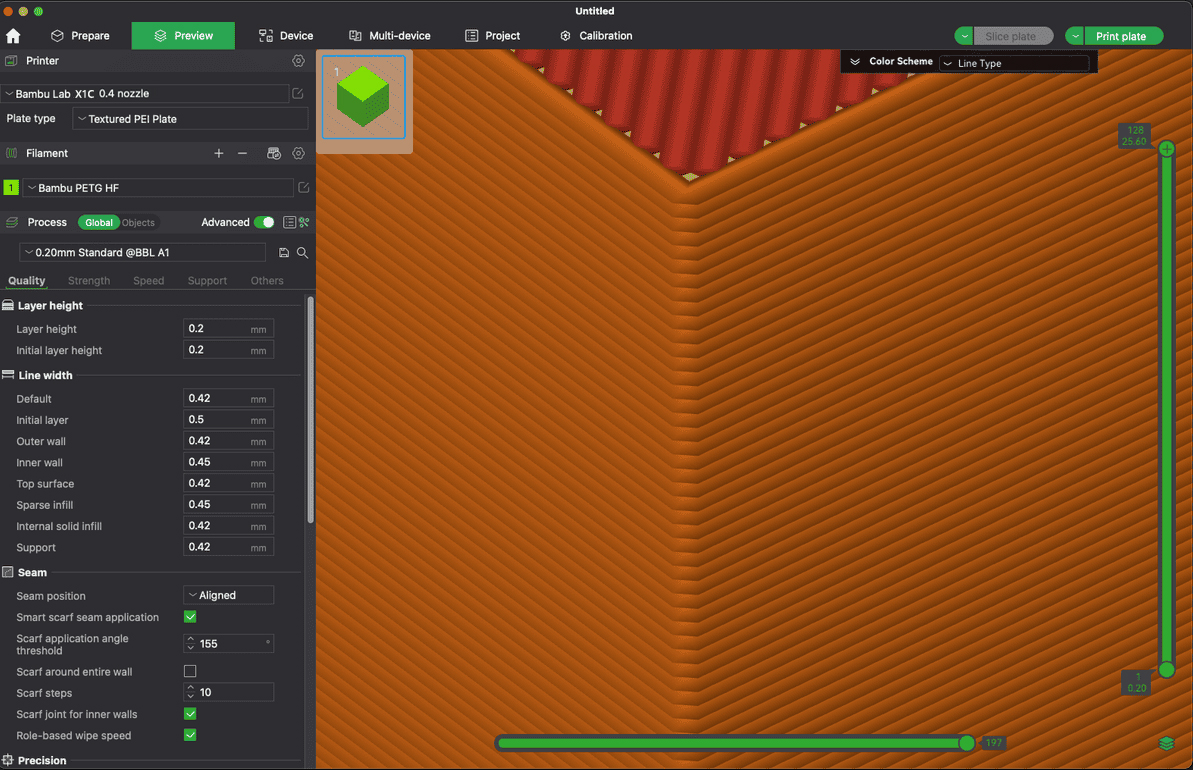
The internal structure of a printed object, which provides strength and support while reducing material usage, typically described by density percentage and pattern type. Generally, with a higher infill percentage, you can get increased strength of the model printed.
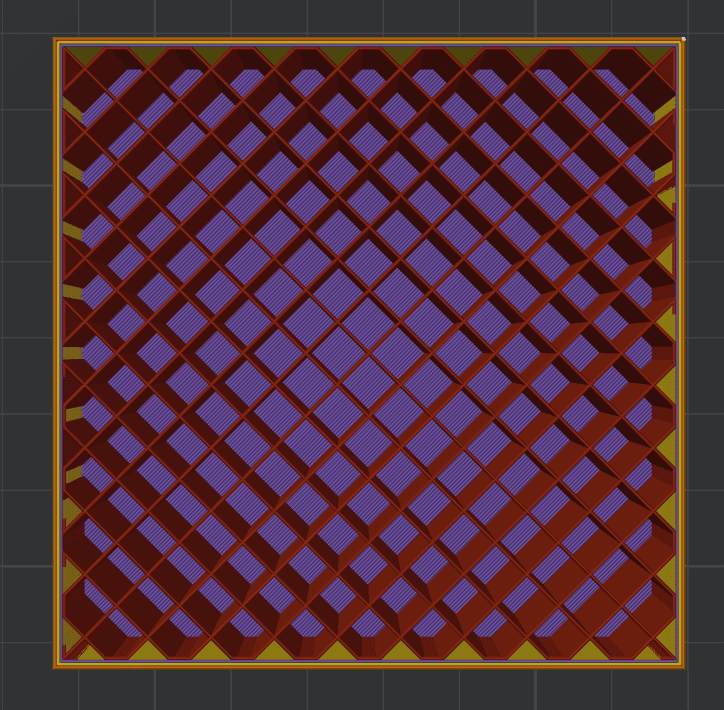
Bridging
The process of creating a horizontal span between two points without support material, where the filament is extruded across gaps to form a solid layer. This usually happens when there are gaps or spaces between two points, such as when a layer has overhangs or needs to connect different parts of the design.
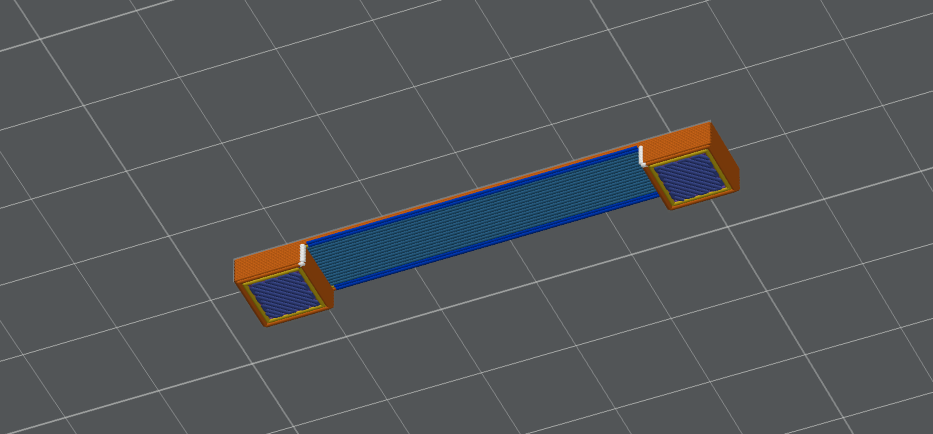
Overhangs
Portions of a model that extend outward without support directly beneath them, typically angled more than 45 degrees from the vertical. Proper design and printing techniques are needed to manage overhangs, as excessive angles can lead to sagging or failure during printing without additional support structures.
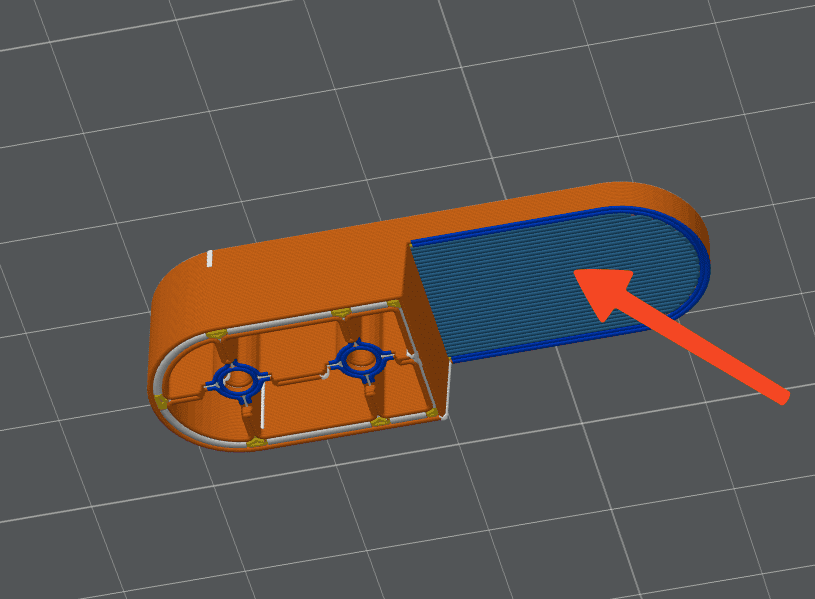
Support
Temporary structures added during the slicing process help support overhanging features of a model which could not be printed otherwise. These are especially important for overhangs or bridges, where layers of the material need to be deposited without collapsing due to gravity.
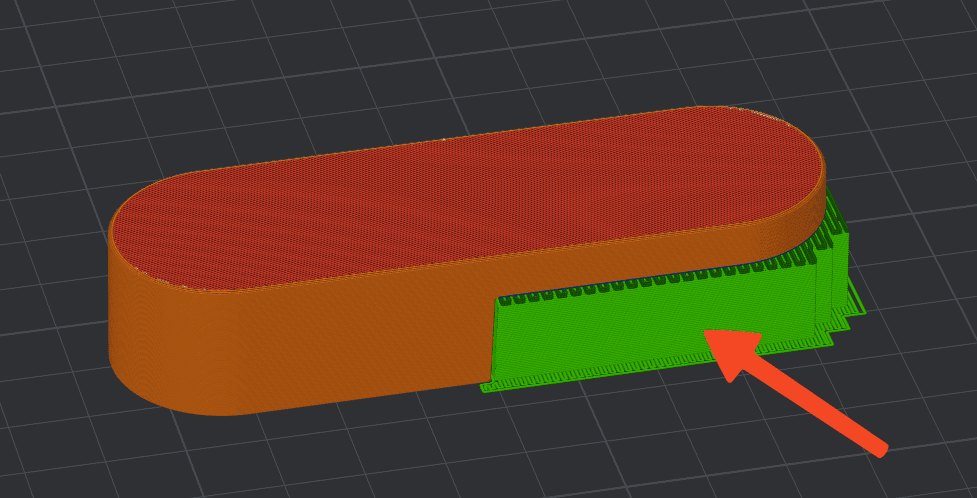
Stringing
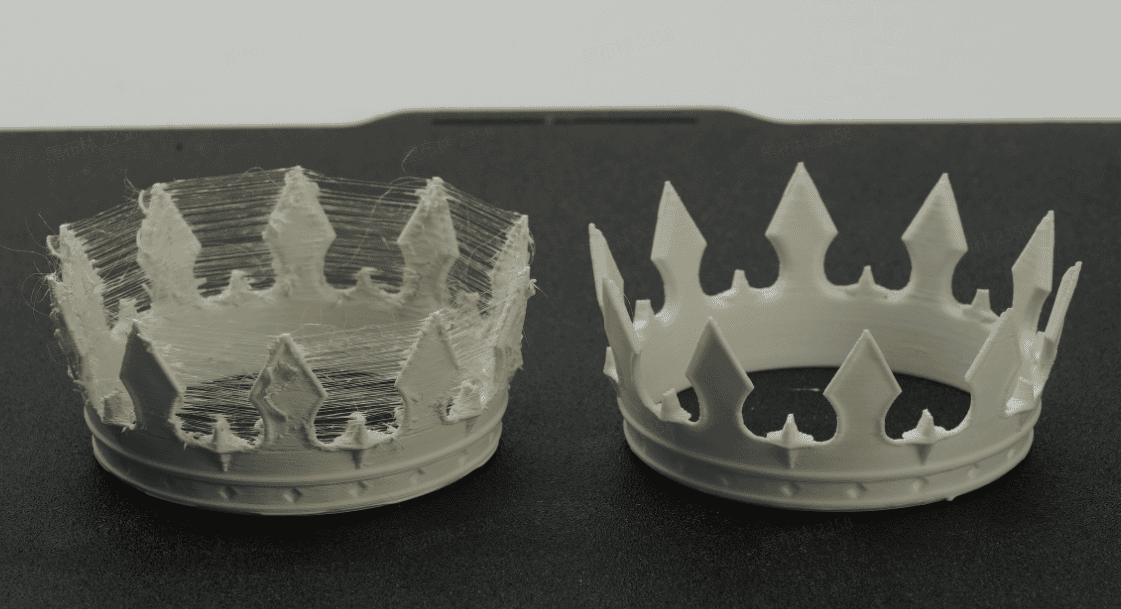
Unwanted thin strands of filament that can occur between different parts of a print when the nozzle moves. The main reason for the stringing effect is attributed to moisture inside the filament, which can be absorbed when the filament is exposed to air. Once the filament is dried, the stringing effect can be minimized.
Other reasons for the stringing effect can be related to improper retraction settings, excessive nozzle temperature, or inadequate cooling, and can detract from the overall appearance and quality of the printed object.
Warping
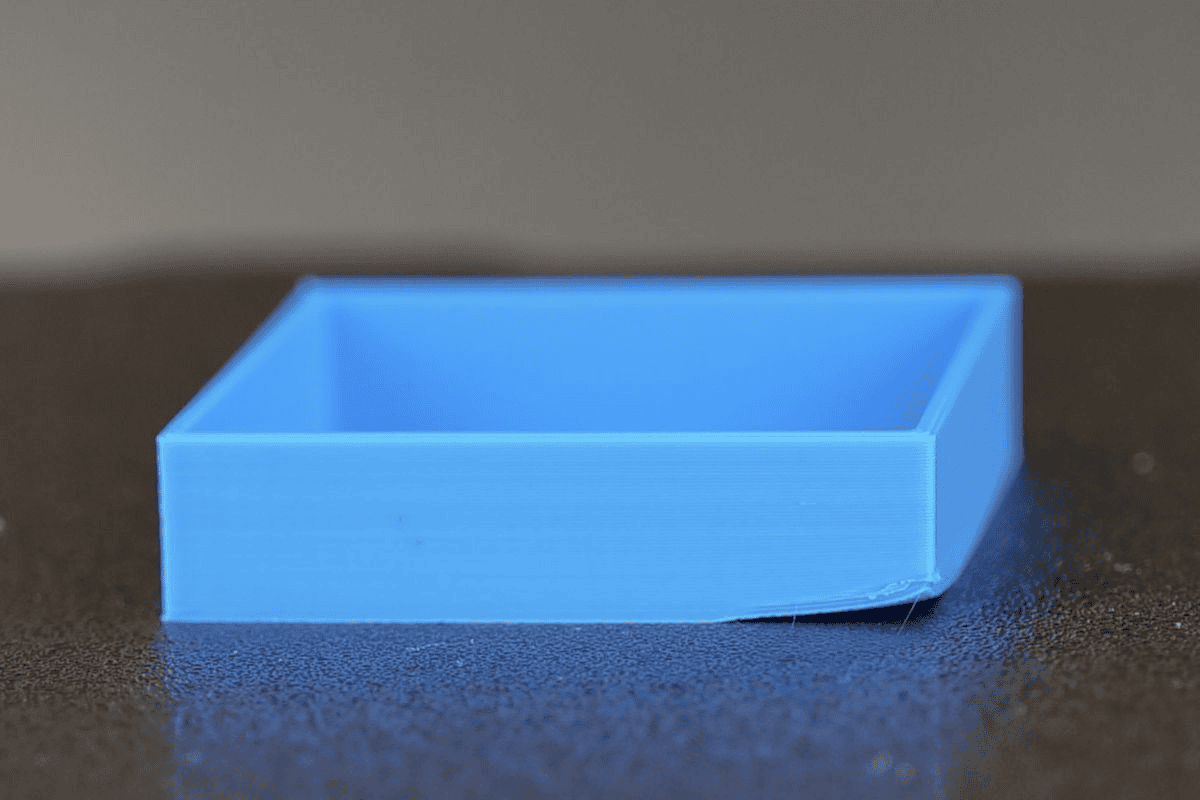
The deformation of a printed object, often occurring when the material cools unevenly and shrinks, causing corners or edges to lift away from the build plate. This can lead to poor adhesion, layer shift, and ultimately failed prints, making it essential to manage print temperature, bed adhesion, and material properties to minimize warping.
In the example below, the warping effect can be seen on corner of the model.
Under-extrusion
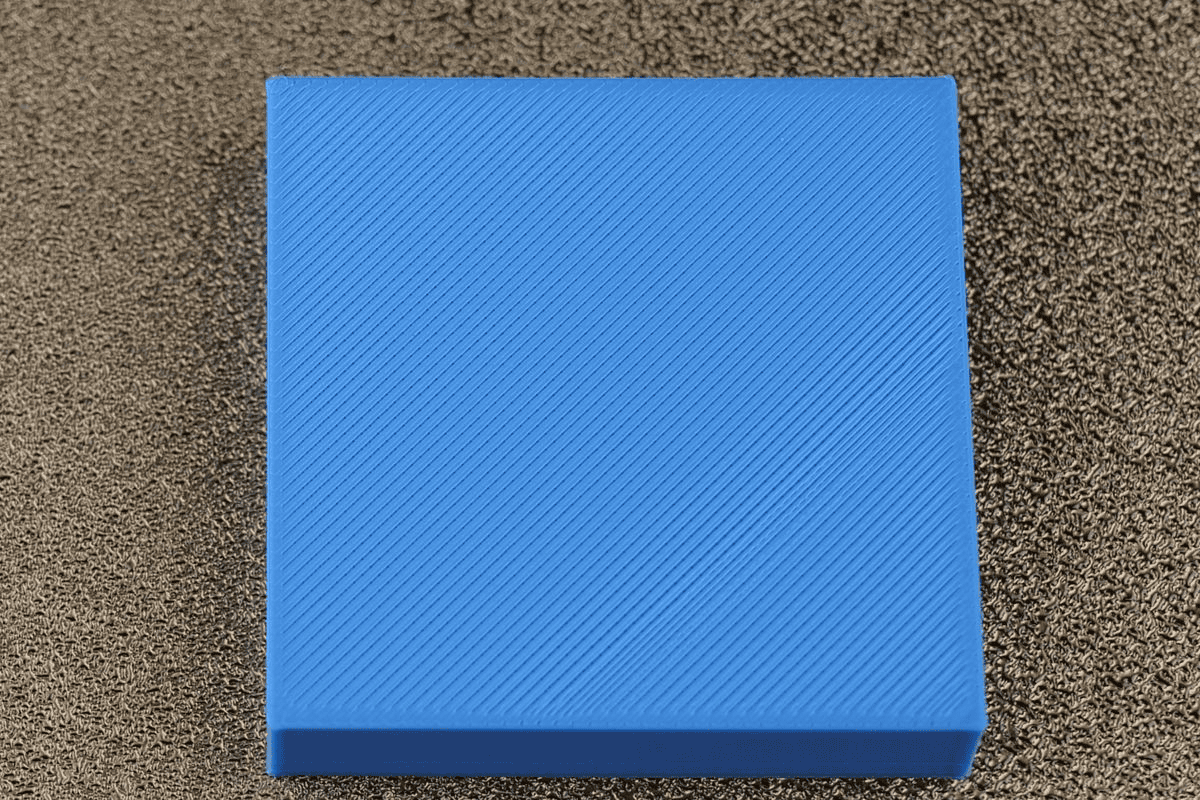
Phenomenon thatoccurs when the printer fails to deliver enough filament to the nozzle, resulting in gaps, weak layers, or incomplete sections in the printed object. This issue can be caused by factors such as insufficient extruder tension, clogged nozzle, incorrect temperature settings, or problems with the filament itself.
In the example below, the under-extrusion effect can be seen on top of the model surface.
Over-extrusion
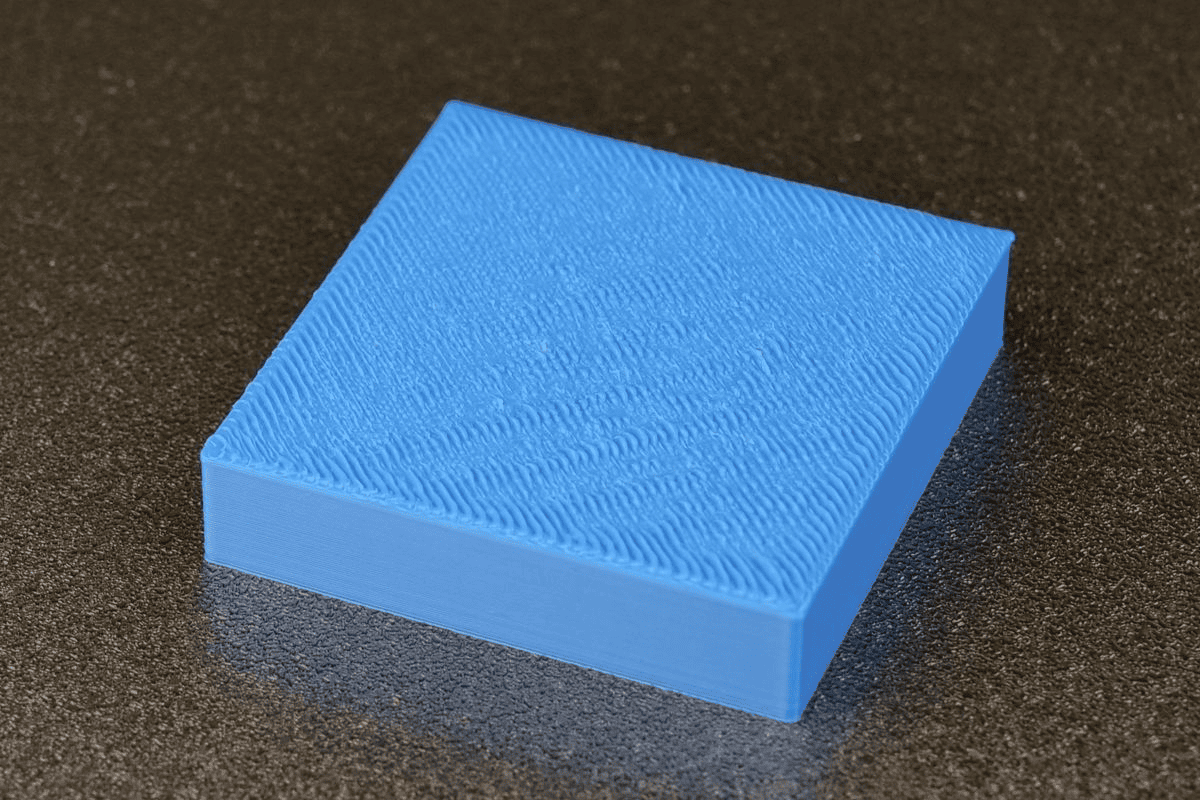
Phenomenon which occurs when too much filament is extruded from the nozzle, leading to excessive material deposition and resulting in issues like blobbing, stringing, and loss of detail on the printed object. This problem can arise from incorrect settings such as an overly high flow rate, improper calibration of the extruder, or using filament that is too large for the nozzle.
In the example below, the over-extrusion effect can be seen on top of the model surface.
To learn more, check out our Glossary on the Bambu Lab Wiki.