Potential mechanical problems and solutions
The first layer is inconsistent
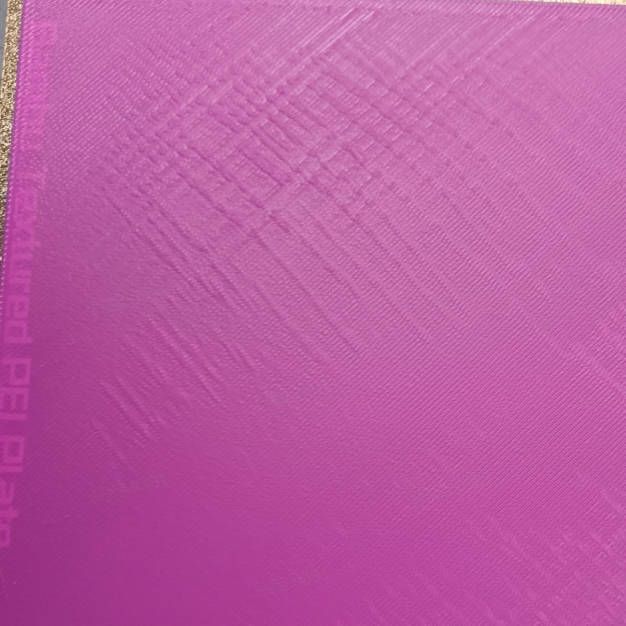
If the first layer appears inconsistent, with small waves or uneven adhesion, the first thing to do is clean the build plate thoroughly to remove any dust, oils, or residue. After cleaning, perform a full bed-level calibration to ensure the printer correctly compensates for any height variations. Once calibration is complete, start a test print to check if the first layer has improved.
If the problem persists, there may be an issue with the nozzle installation. A common cause is an incorrectly installed nozzle or slight movement in the hotend heating assembly. Verify that the nozzle is properly installed by checking the nozzle buckle. If the buckle is not secured correctly, reposition it to ensure a firm fit.
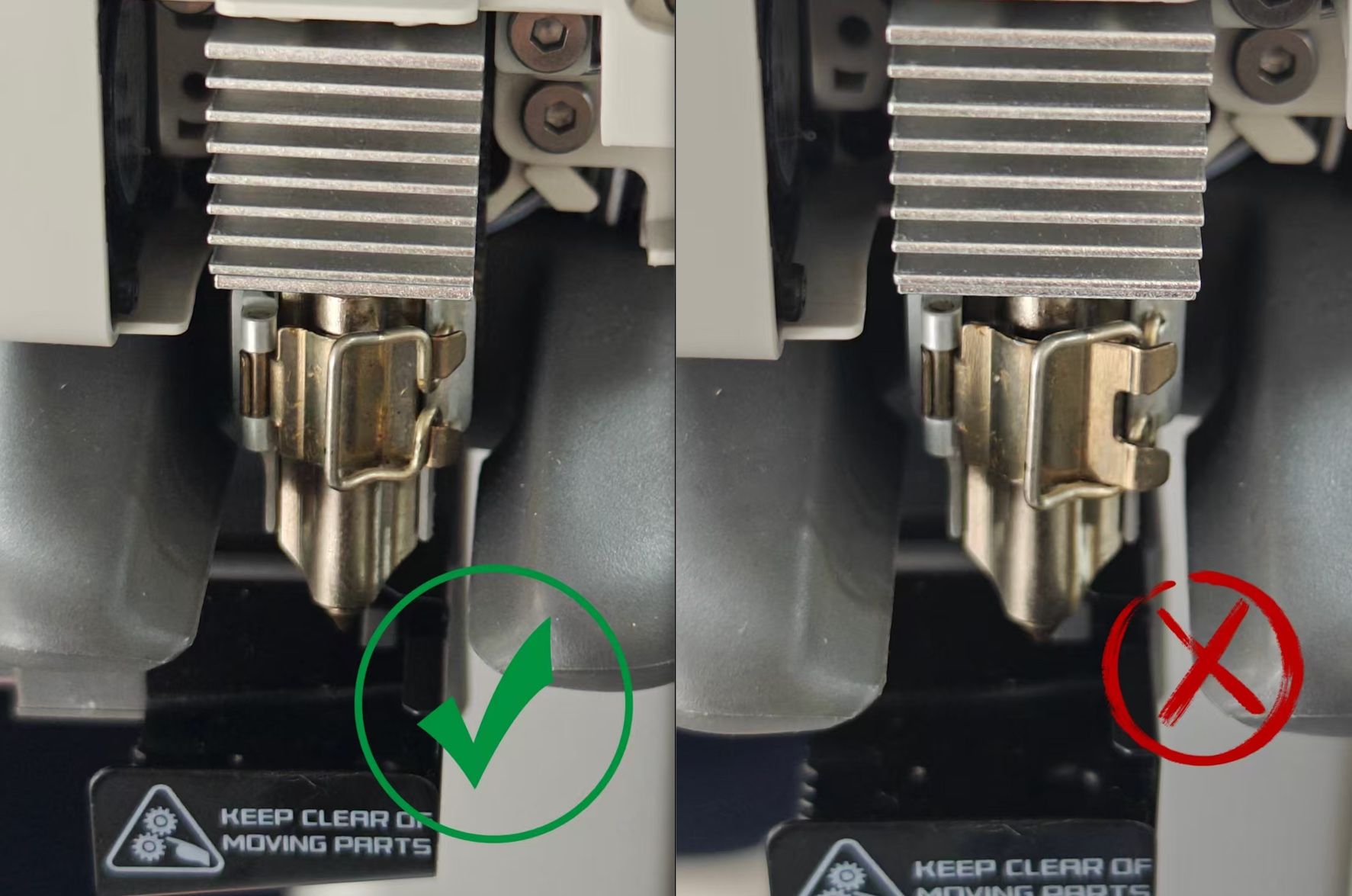
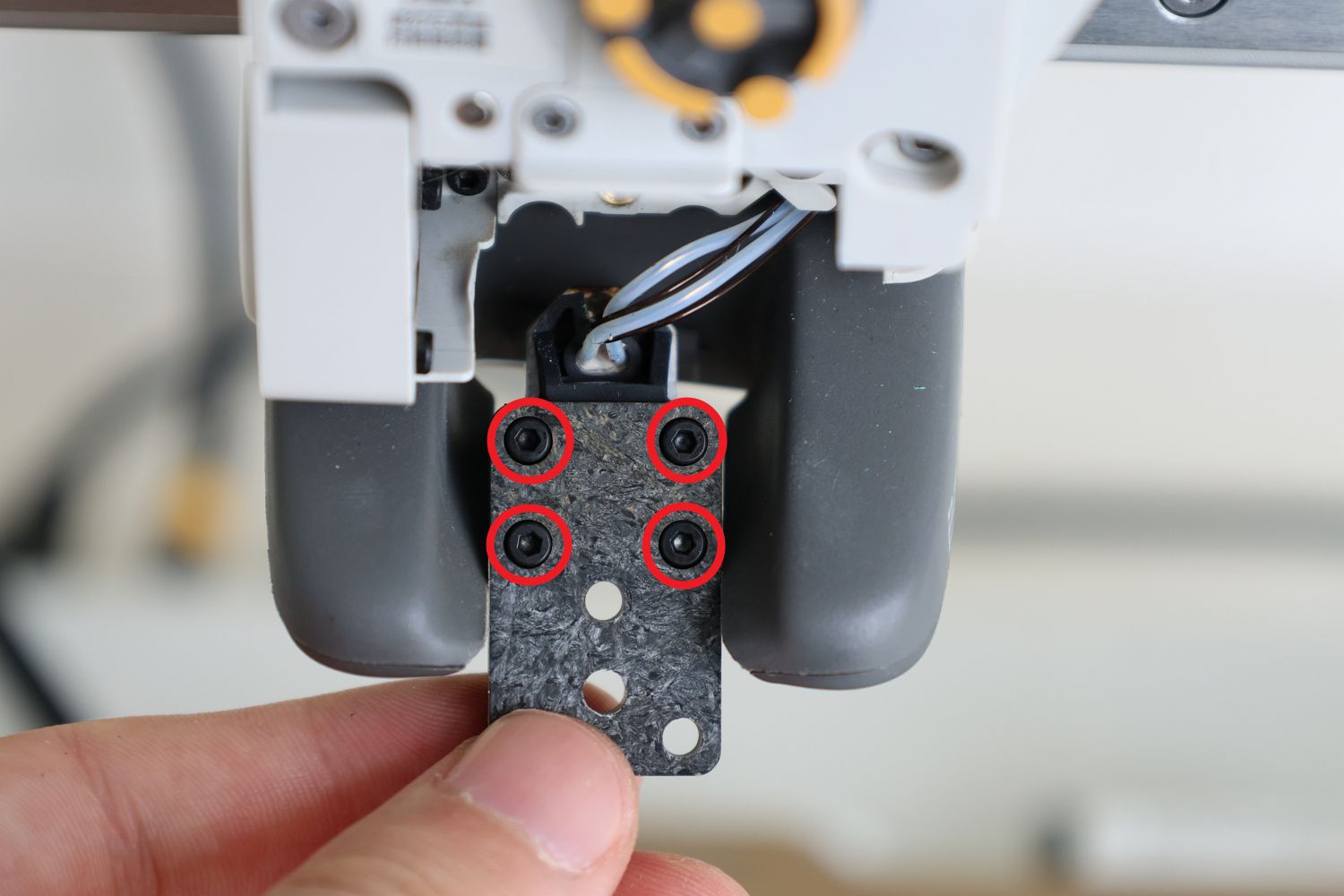
If the nozzle is properly installed but the issue remains, check the four screws securing the hotend heating assembly. Over time, these screws can loosen, leading to instability in the nozzle.
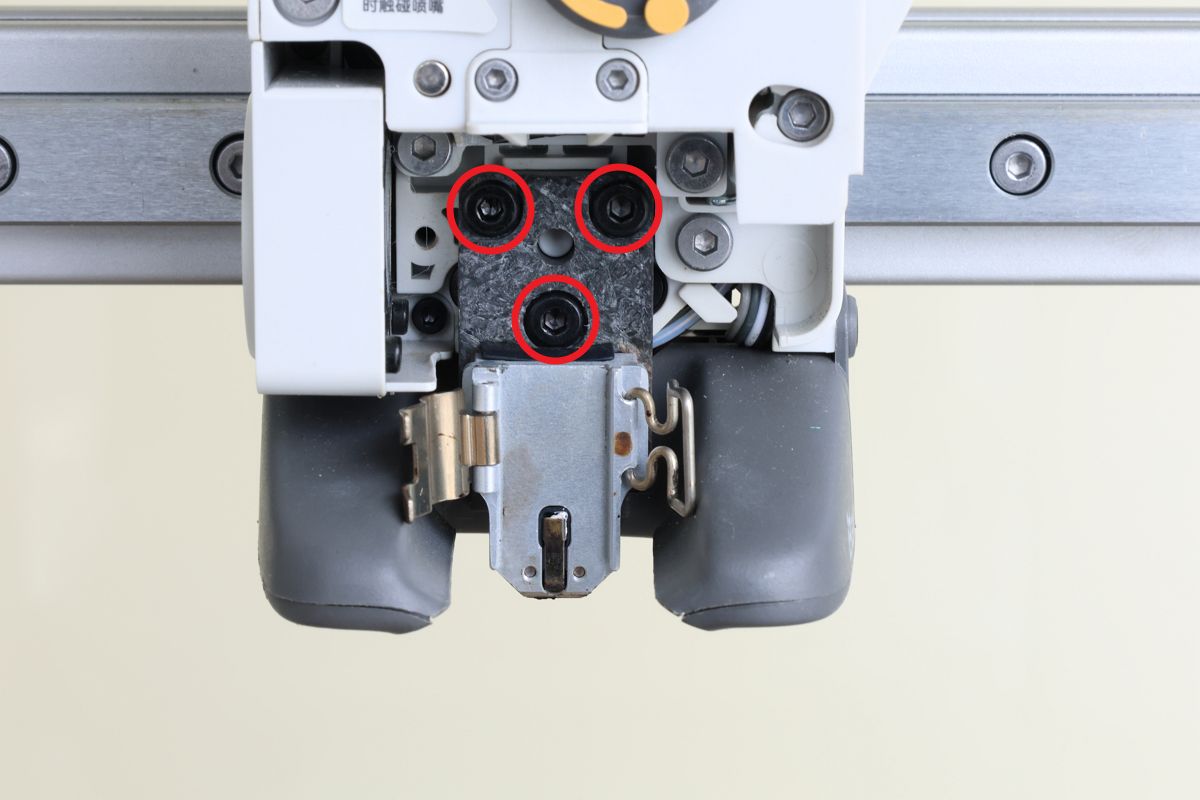
To fix this, press the filament cutter lever to cut the filament. Next, remove the nozzle and take out the three screws holding the hotend heating assembly.
Flip the assembly over and tighten the four screws shown in the reference image.
Once finished, install the nozzle, perform another calibration, then perform a test print. This should resolve the issue and improve first-layer consistency.
Filament is attached to the nozzle after a failed print
In certain cases, you may notice that filament has accumulated around the nozzle instead of adhering to the build plate. The example below shows how the problem can occur, and it is also commonly referred to as Nozzle Clumping, where the filament can be wrapped around the nozzle, potentially leading to print failure and damage to the printer. This issue can arise due to poor first-layer adhesion or other printing inconsistencies.

To prevent serious damage, the Bambu Lab A1 series includes a nozzle clumping detection feature, which can be enabled in the Print Options settings.
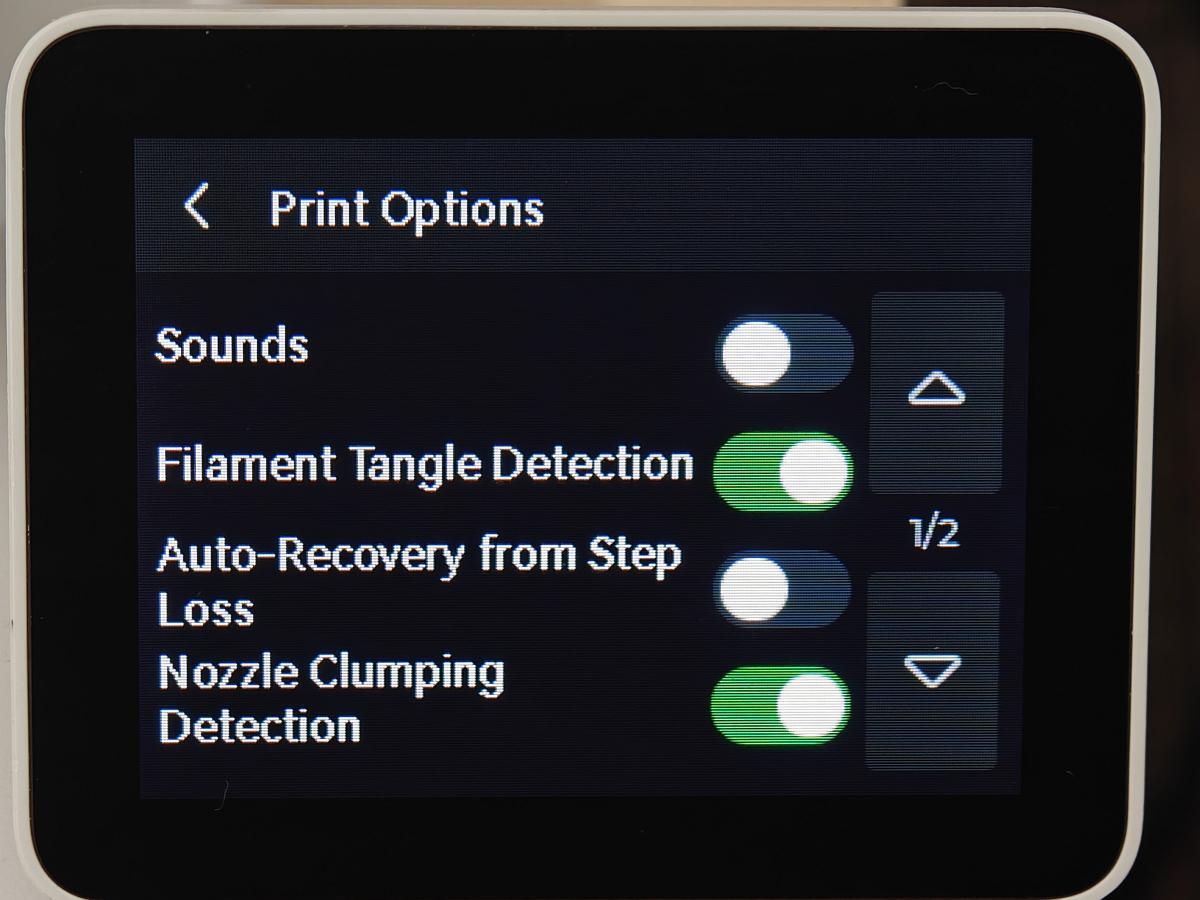
If the printer detects that filament has started wrapping around the nozzle, it automatically pauses the print and issues an alert, helping to prevent further issues and protect the printer. The detection is done by moving the printhead to the back side corner and using the nozzle sensors to detect if there is anything attached to it.

Please note that the Nozzle Clumping Detection is not a fail-proof option to detect problems. It is meant to assist with potential problems, but it is not a guaranteed solution. There might be some detection issues, depending on the situation and the failure.
If you encounter such a problem, it is recommended to follow the video guide below to remove the filament blob, then clean the hotend. A written guide is also available in the Bambu Lab Wiki.
Extruder clicking and no filament is coming out of the nozzle
If you’ve just started a print and notice that the extruder is making a click about every second, nothing is coming out of the nozzle, and that the visible yellow gear is skipping, then there is a chance that your extruder or nozzle is clogged.
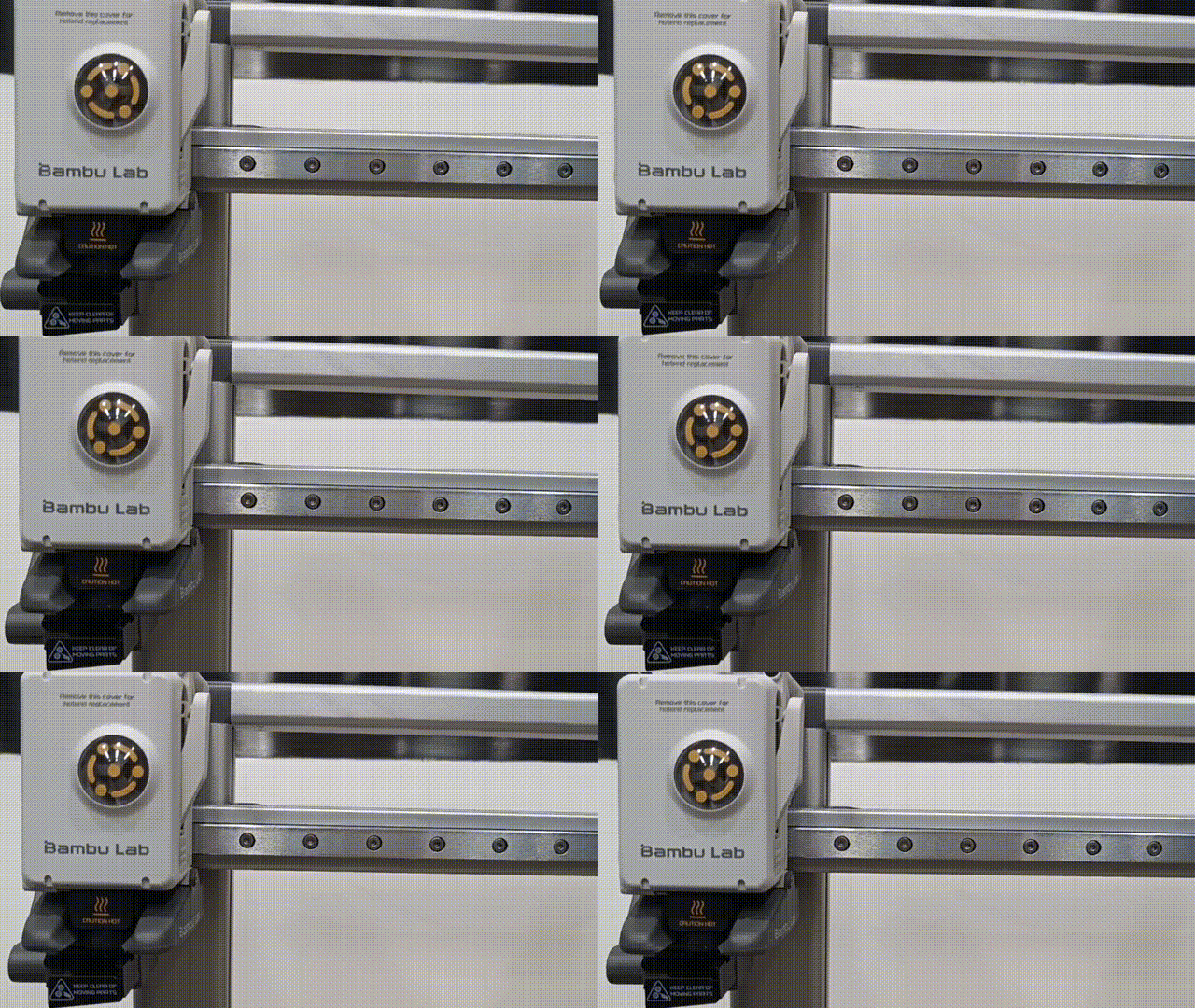
One of the main causes of extruder clogs is when the printer is used in a printer enclosure, or in an environment that has a high temperature.
Another reason for an extruder clog could be the type of filament used. When printing with very soft TPU filament, you can encounter a clog in the extruder
To solve this problem, a detailed troubleshooting guide is available on the Bambu Lab Wiki. Start by first confirming if the nozzle is clogged (as it is a more common reason), and perform the extruder cleaning if the nozzle unclogging does not solve the problem. Dedicated guides for how to solve a nozzle clog or an extruder clog are also available.
It is also recommended to clean the Extruder from time to time to prevent any potential clogs caused by debris that can accumulate.