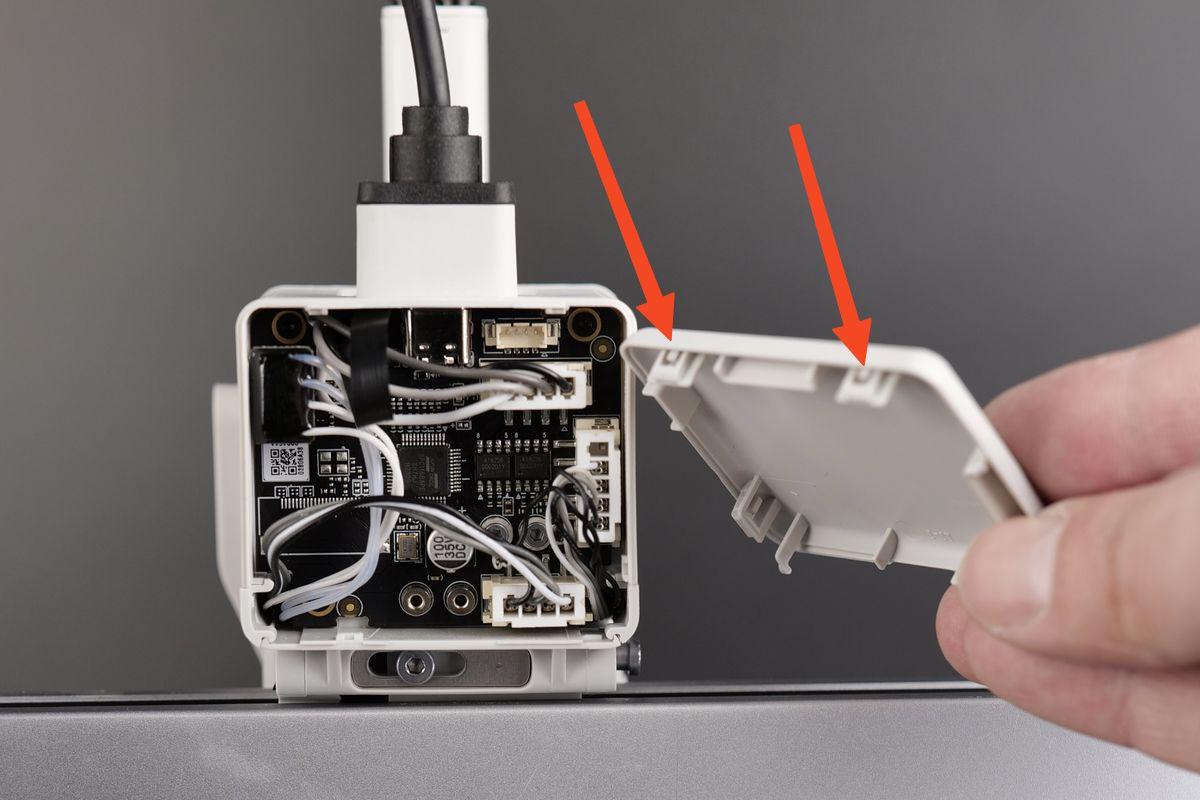
Accessing the Toolhead Board for specific operations
In some cases, you may need to access the Toolhead Board, which is located behind the extruder motor. Common reasons for accessing it include replacing the Hotend Heating Assembly, due to failure or damage, or repairing a damaged Filament Sensor cable.
IMPORTANT!
Always power off the printer before performing maintenance on it or its electronics. Leaving it on can cause short circuits and lead to damage or safety hazards.
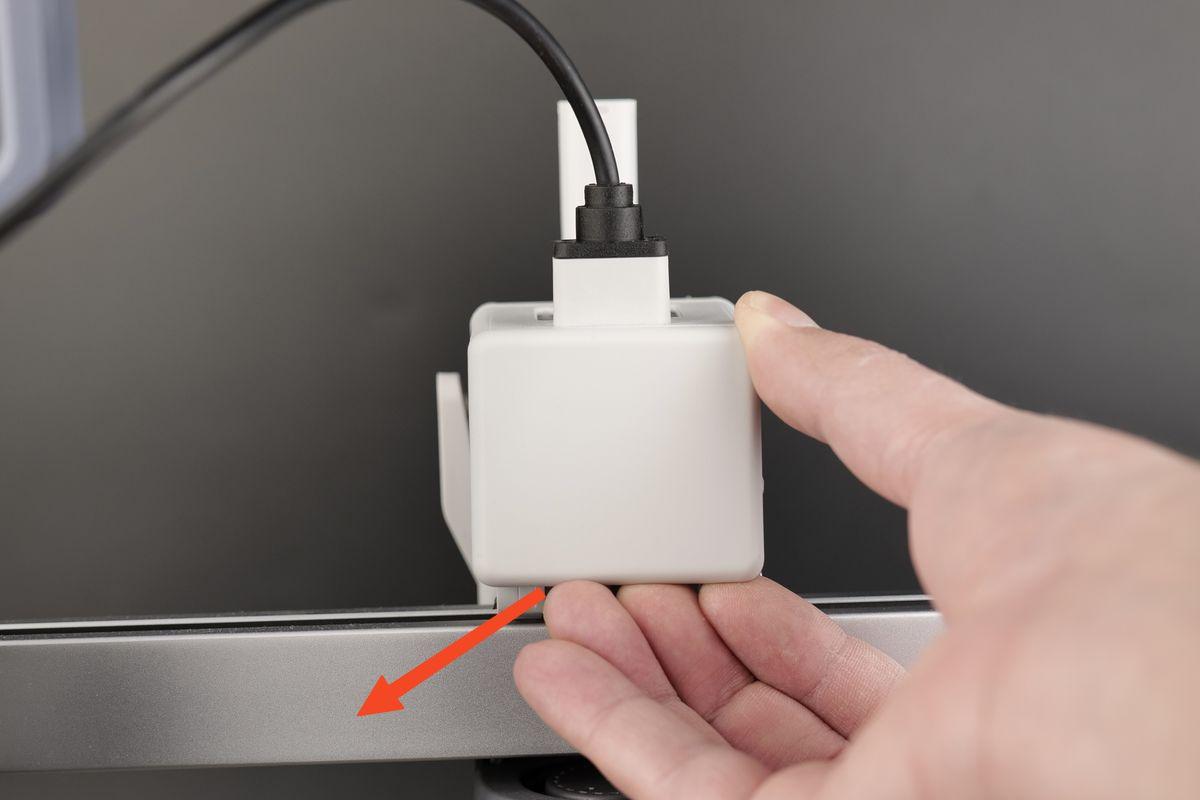
Carefully pry open the back cover by pulling on the bottom section as shown below.
Once removed, you can easily access the connectors and cables of the toolhead:
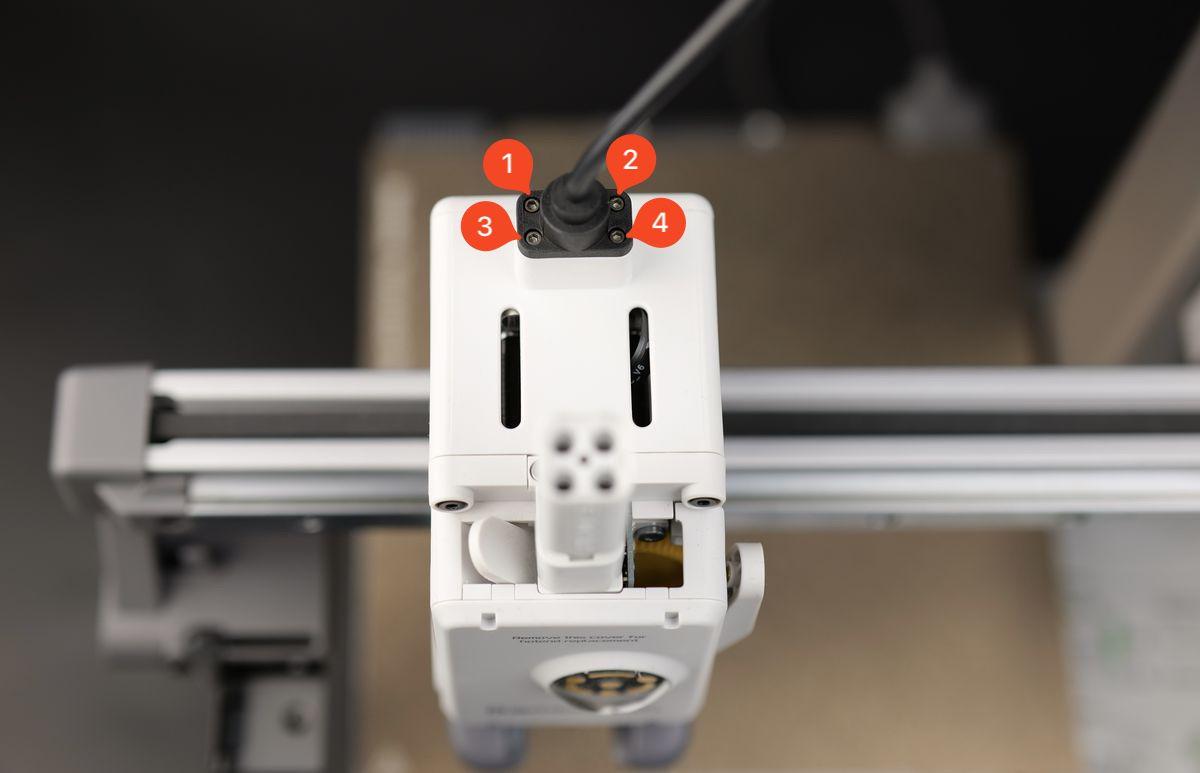
In case you ever need to remove the board completely, you can do so after removing the USB C cable screws located in the top, shown in the picture below.
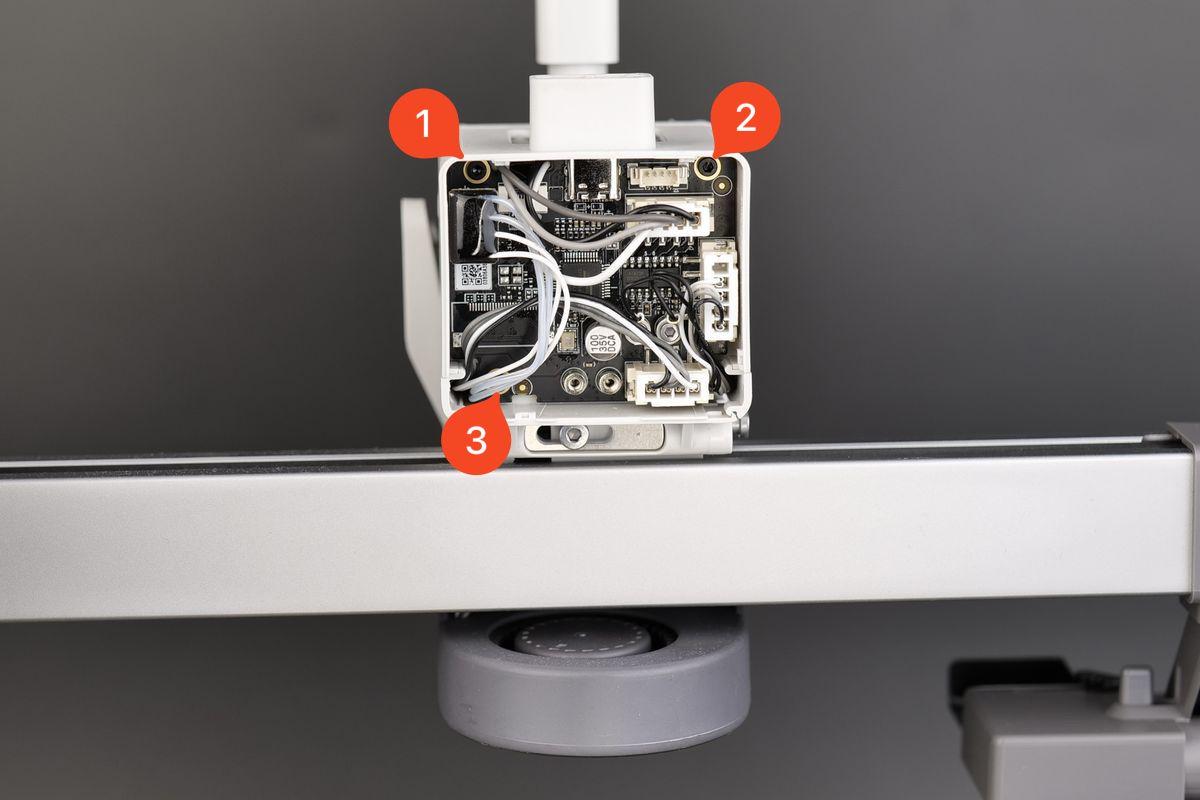
After disconnecting the wires, the board may be removed by removing the three screws indicated in the image below.
If this operation is ever necessary, it is recommended to carefully follow the detailed guidance from the Toolhead Board Replacement Guide available on the Bambu Lab Wiki.
To reinstall the back cover, simply align the two brackets on the back cover towards the top, then push it until you hear a few clicks.