What is a Nozzle Clog and how to remove it?
What is a Nozzle Clog?
A nozzle clog in 3D printing occurs when filament fails to extrude due to blockages. Common causes include:
- Dust or debris larger than the nozzle opening getting lodged inside.
- Enclosure temperatures exceeding the filament’s glass transition point, softening it and causing a jam before melting.
- Filament lingering too long in a hot nozzle without extrusion, leading to degradation and burning.
- Filament is low quality, and the diameter is inconsistent.
What is a partial Nozzle Clog?
A simple clog or partial clog is considered when the tip of the hotend is clogged with particulates inside the filament (carbon fiber, sparkling filament, etc). These particulates could be larger than the nozzle hole and will block it from being extruded.
Most of the time, these particulates could either clog the hotend completely, preventing any filament from being extruded, or cause a partial clog from debris on the filament, which manifests itself by filament not flowing straight from the hotend and curling when extruded manually from the hotend.
When such a clog occurs, the model is not printing as expected, with inconsistent extrusion leading to bad print quality. It can also manifest itself with a badly calibrated K value for Flow Dynamics due to the inconsistent nozzle pressure and flow.
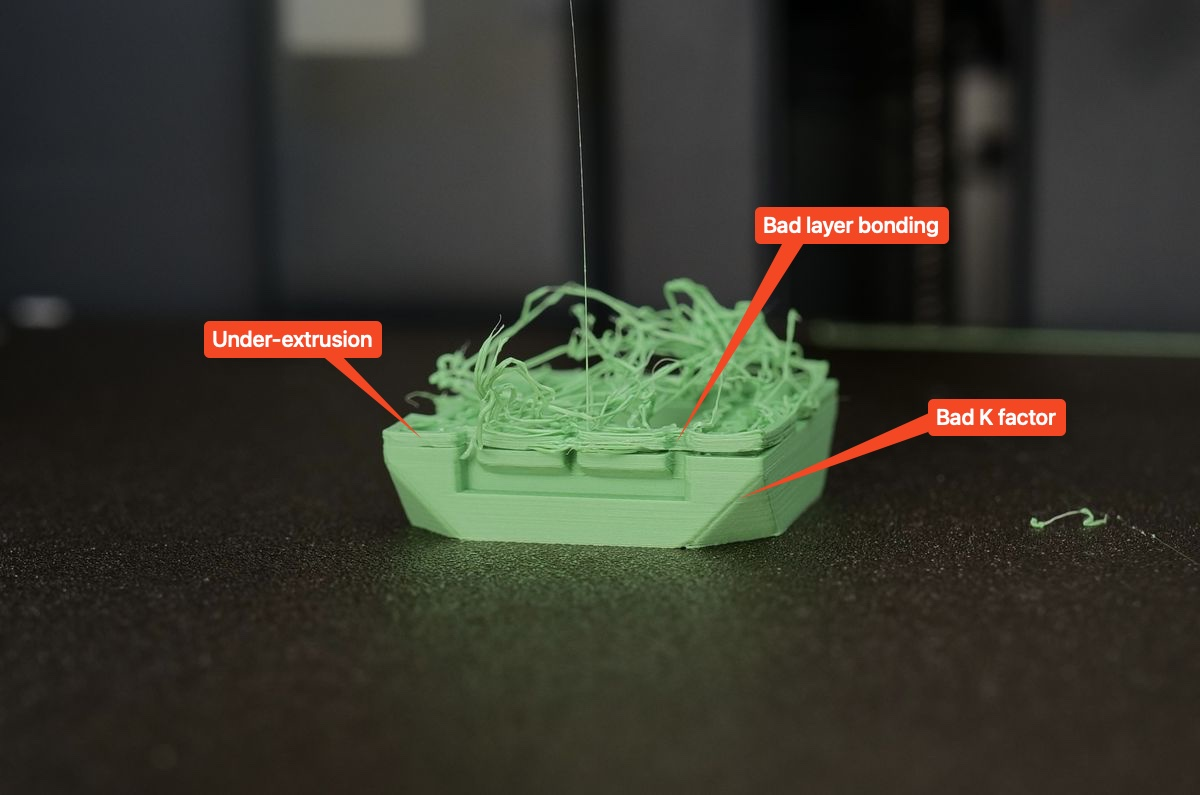
How to unclog the X1C Nozzle?
The easiest procedure to follow is to try and dislodge the small piece blocking the hotend using the included pin you received with the printer.
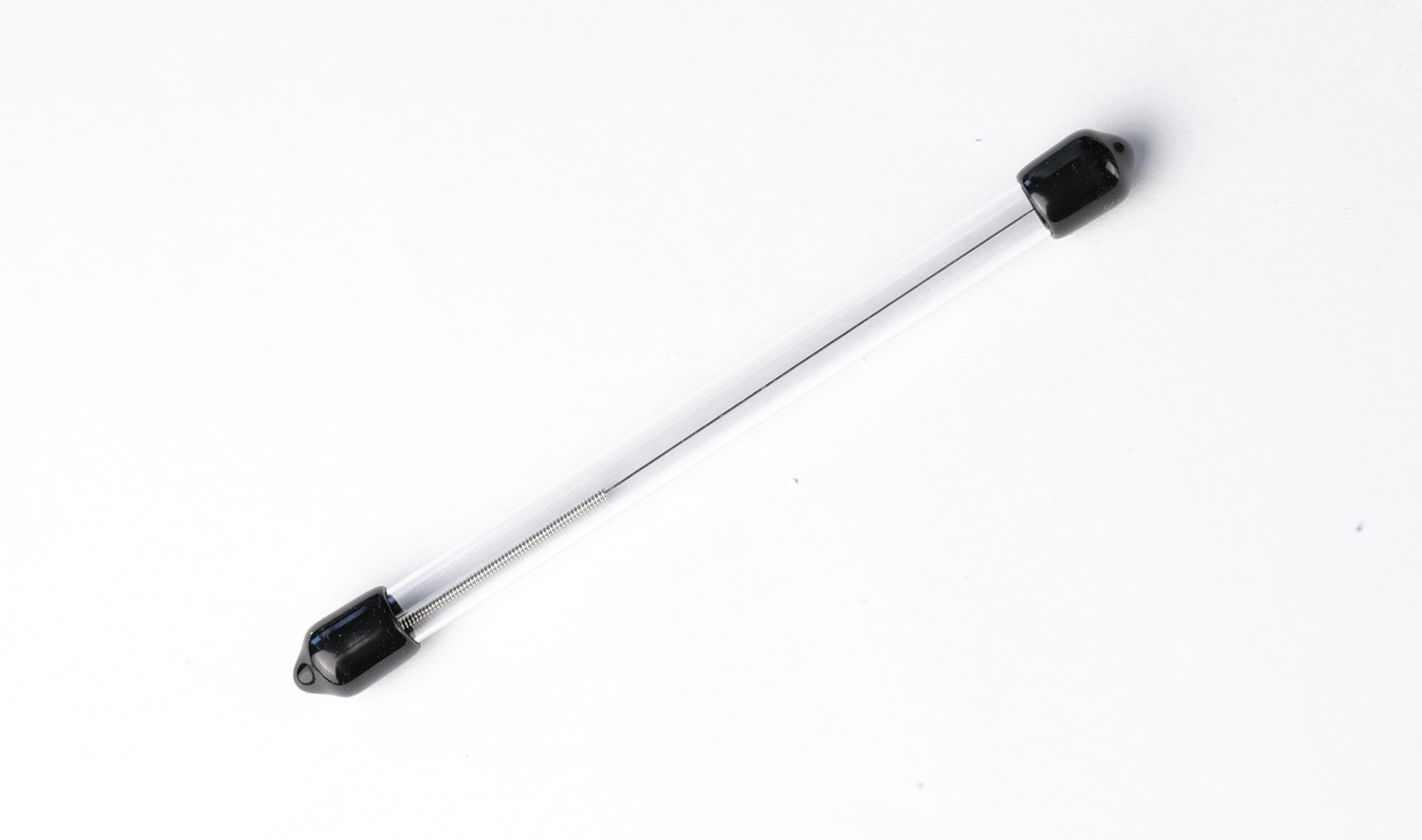
❗❗❗ Important: Use heat protective gloves to avoid the filament dripping on your fingers as it can cause burns. Avoid setting a very high temperature for the nozzle, as a clog can cause pressure inside the nozzle and lead to the nozzle spraying molden plastic. Always use a slightly higher temperature for the filament used (ex: +10°C) to help dislodge the clog.
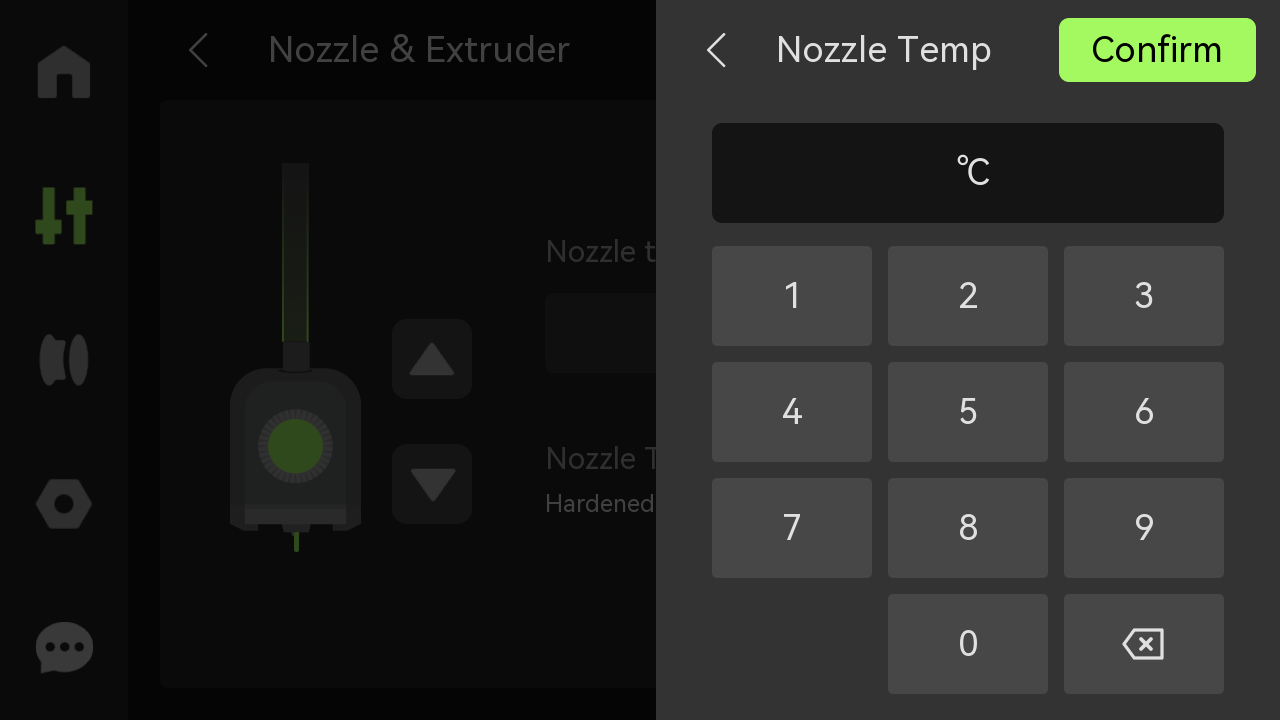
Start by setting the nozzle temperature to a value slightly higher than the printing temperature. In this example, we will use PLA, so the recommended temperature to set is 250℃.
Next, use the needle to push it through the nozzle’s tip for about 1 cm, and move it up and down a few times.
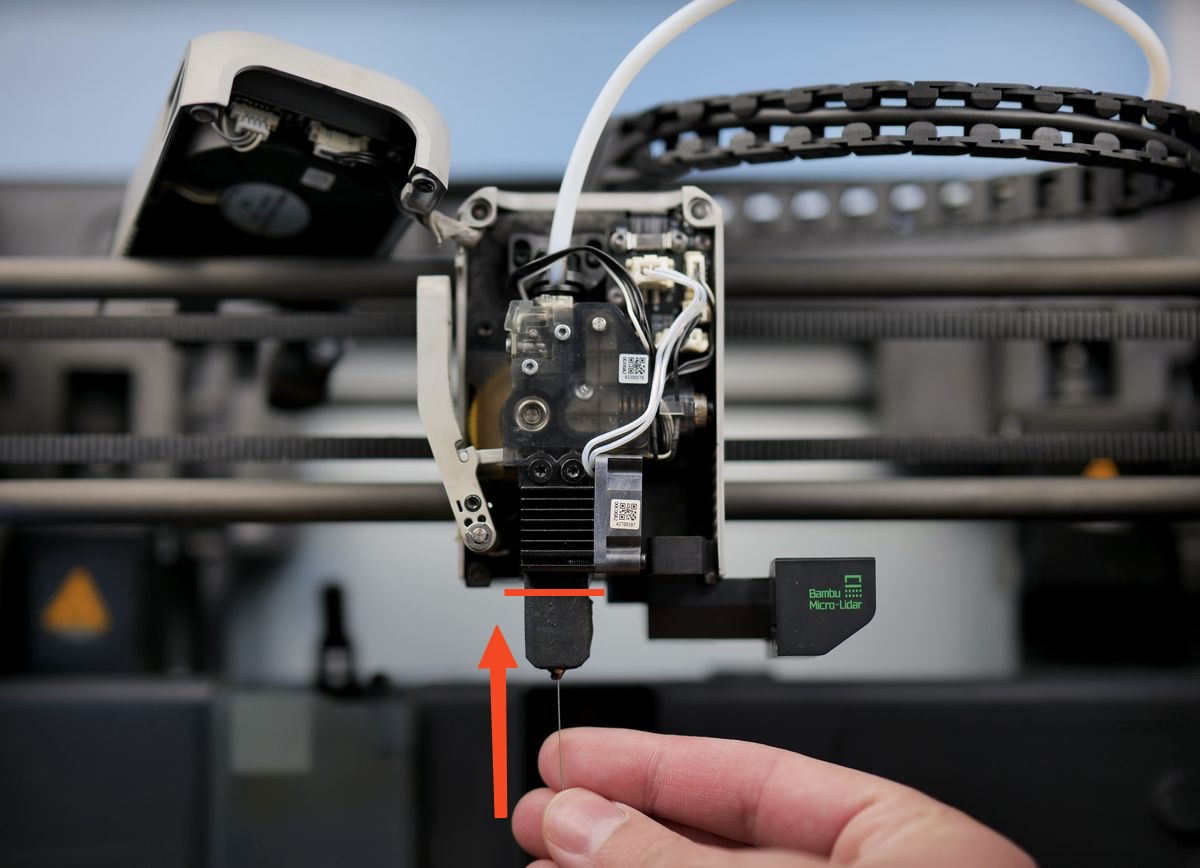
Ensure that you don’t push the pin too far in the hotend, as you might push the molten filament higher, leading to a harder-to-remove clog. The red line in the image below shows how far you should push the pin.
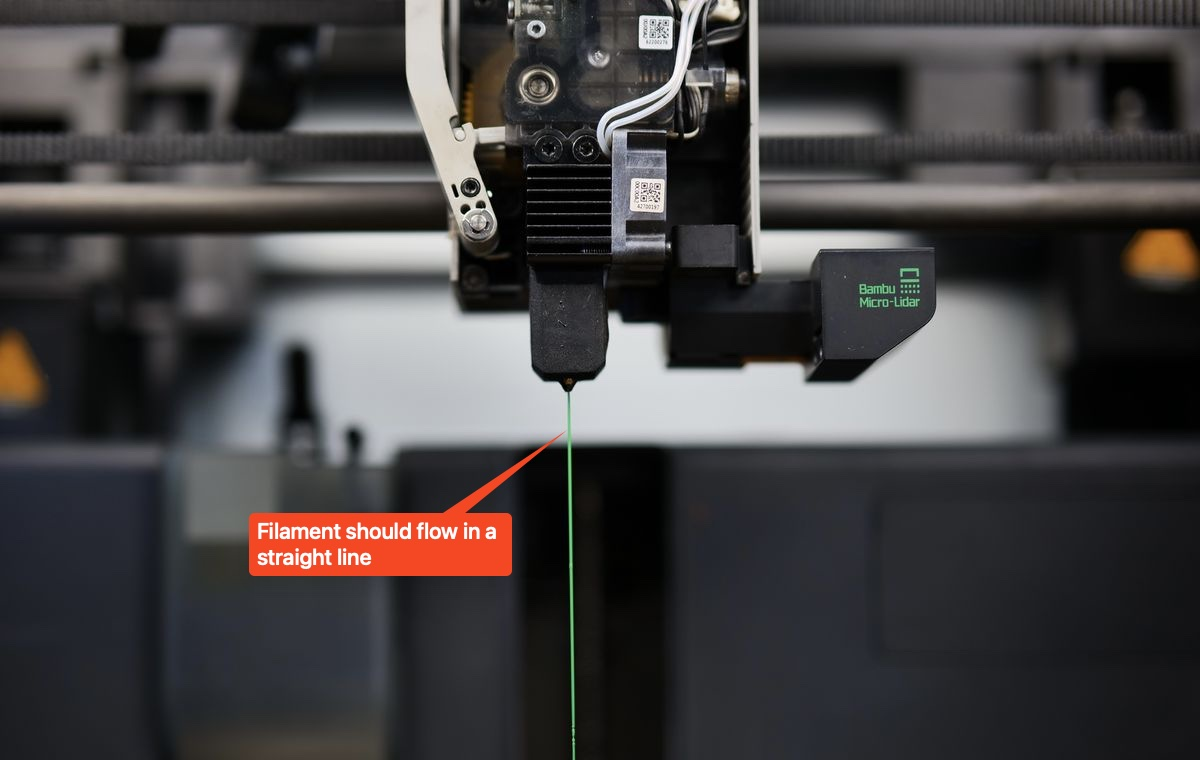
After moving the pin through the nozzle tip a few times, remove the pin and extrude some filament using the on-screen buttons. The filament should flow in a straight line and should not curl during extrusion, as shown in the image below.
Alternative cleaning method
If the clog cannot be removed using the pin, you will need to partially remove the hotend. A video guide is available below explaining the entire procedure.
Considering you will be doing this operation while the hotend is still connected to the printer, there is a higher chance of damaging the hotend wires or the connection board. Make sure to carefully handle the hotend to avoid any potential wire damage, or burn yourself.
We also recommend checking our Bambu Lab Wiki for a detailed article that goes in-depth on how to clean a clog for the X1C.
How to avoid nozzle clogs?
While nozzle clogs are not completely unavoidable, following these guidelines can help avoid it:
- Ensure the filament is kept clean, away from any dust or debris that can get stuck on it.
- Clean the nozzle regularly, by performing a few cold pull procedures, to ensure the inside of the nozzle is clean of any potential charred filament.
- Use a larger nozzle to minimize the chances of small debris to get stuck and clog it.
- Use high quality filament.
- Dry the filament before use, to ensure a smooth extrusion.