What is Cold Pull and how to perform it?
What is a Cold Pull?
A cold pull is a maintenance technique in 3D printing used to clean the inside of a printer’s nozzle by removing debris, clogs, or residual filament. It involves heating the nozzle to soften the filament, then cooling it to allow the filament to solidify partially, and pulling it out to extract contaminants.
The filament acts like a “plug” that bonds with residue inside the nozzle during the cooling phase. Pulling it out physically dislodges and extracts contaminants, such as burnt filament, dust, or small clogs.
Performing a cold pull procedure regularly helps restore proper filament flow for consistent extrusion and helps prevent print defects like under-extrusion or inconsistent printed lines. It is recommended to do it from time to time, especially when switching from one type of filament, to another.
Important things to know
Cold pulls can be done with a variety of filaments, and the temperature used can also be different depending on the filament type. The example below uses PLA, but you can also do it with Nylon, ABS, ASA, etc.
If you have a clog inside the hotend, you might not be able to do this operation before removing the clog.
If you have previously printed regular filament, then plan to print TPU, it’s always a good idea to do a cold pull to remove any filament that remains in the hotend. TPU is flexible, and might not be able to push out the filament that has remained inside the hotend, which can lead to a clog.
For PLA filament, the recommended cold pull temperature is typically between 70-100°C. If you are performing a cold pull for the first time, we suggest using 70°C to prevent the filament from becoming too soft and clogging the extruder.
How to perform a Cold Pull on the X1C?
Start by setting the printer’s nozzle to a temperature slightly higher than the regular printing temperature of the filament. In this example, we will use PLA filament to perform the cold pull, so the temperature will be set at 220°C.
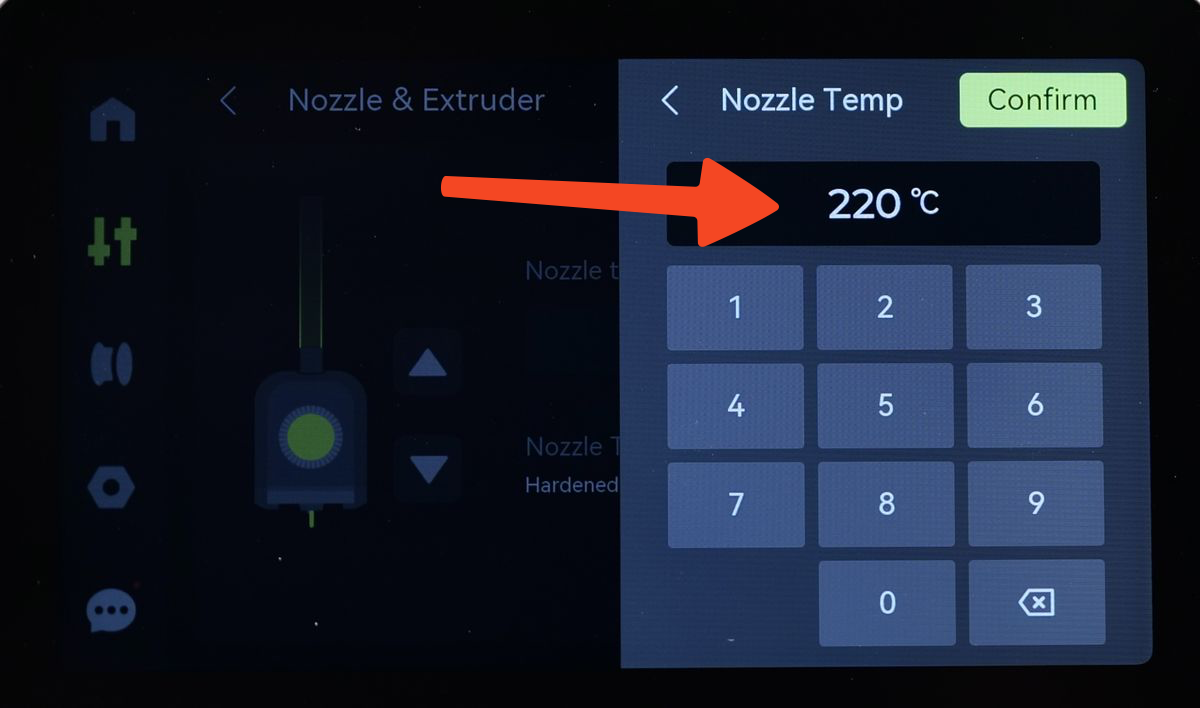
Wait for the hotend to reach the set temperature, then use the controls to extrude some filament. Usually, clicking the extrude button a few times until you see filament coming out from the extruder is enough.
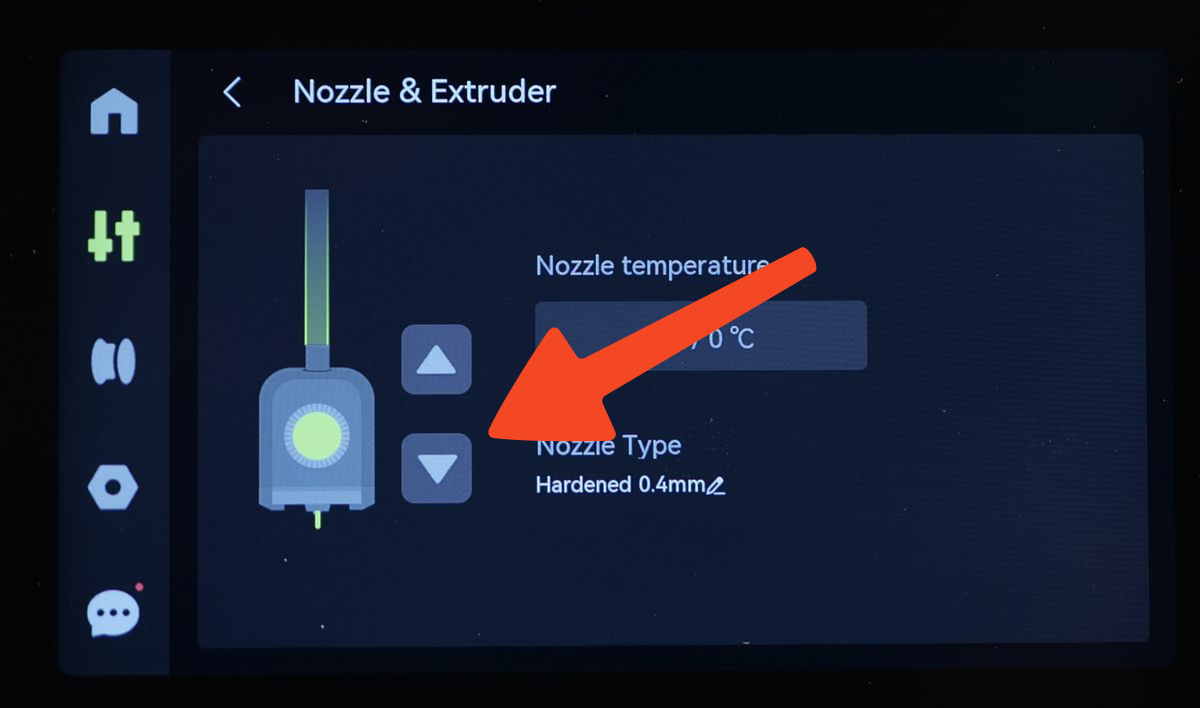
Next, set the hotend temperature to 70°C, and wait for it to cool down.
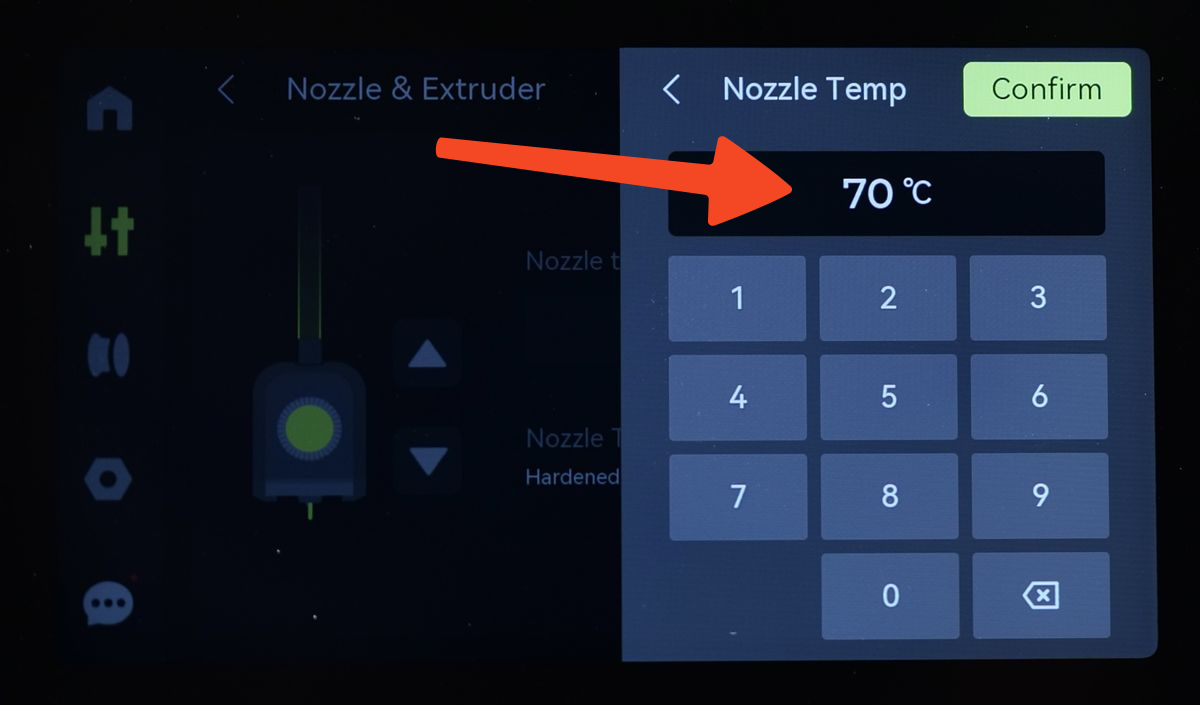
When the temperature drops below 200°C, you can push the extrude button a couple of times, once every 2-3 seconds, to keep forcing the filament to be extruded while carefully listening to the extruder. If you hear the extruder starting to skip steps, stop the extrusion process. This usually happes around 150°C for PLA. This procedure helps to ensure the filament is pushed inside the nozzle to get fused with any debris inside it.
While the hotend continues to cool down to reach the set 70°C temperature, remove the front cover of the toolhead and disconnect the PTFE tube.
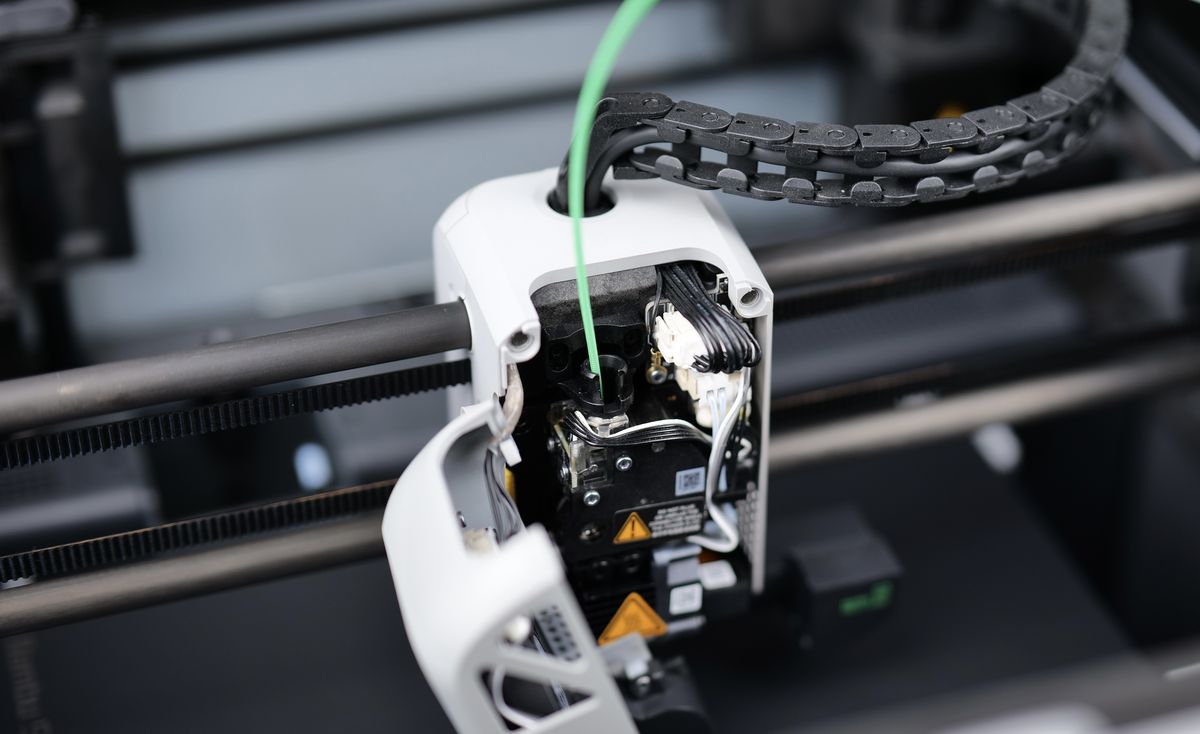
Once the filament reaches the set temperature of 70°C, you need to start retracting the filament using the on-screen buttons.
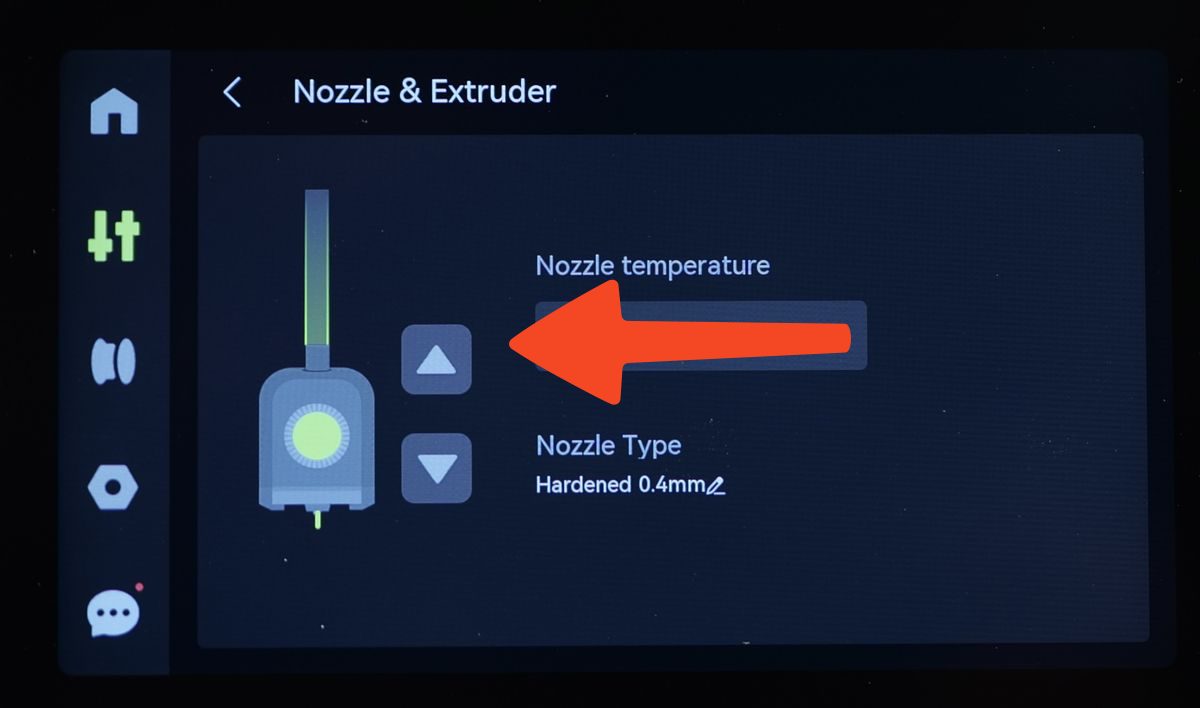
When this retraction operation is done, you should also manually pull the filament upwards to help the extruder dislodge the filament. Don’t pull too hard – you don’t need to use force to remove the filament. This manual operation is meant just to help the extruder pull the filament out from the hotend, so it does not skip steps or strip the filament.
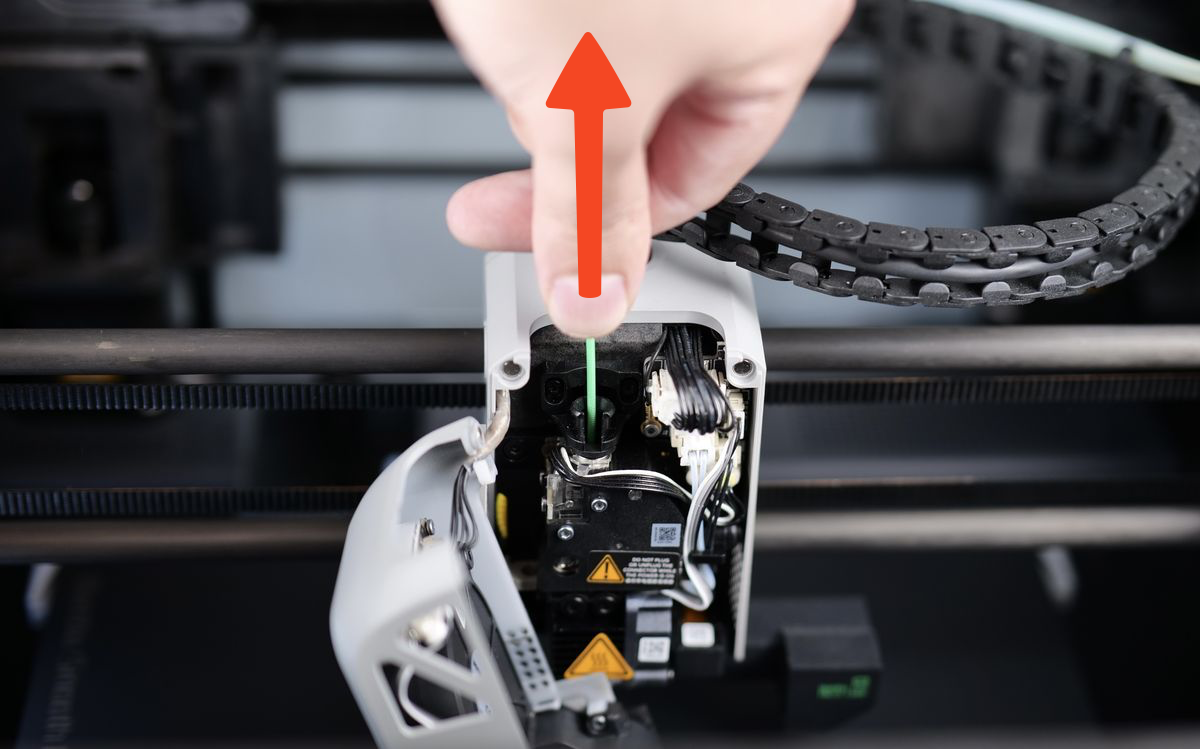
You will be able to feel that after a few clicks of the retract button, that the filament will be out of the extruder’s grip, and you can then pull out the remaining filament. If done correctly, the pulled filament tip will have a slight cone shape, similar to the inside of the nozzle’s tip.
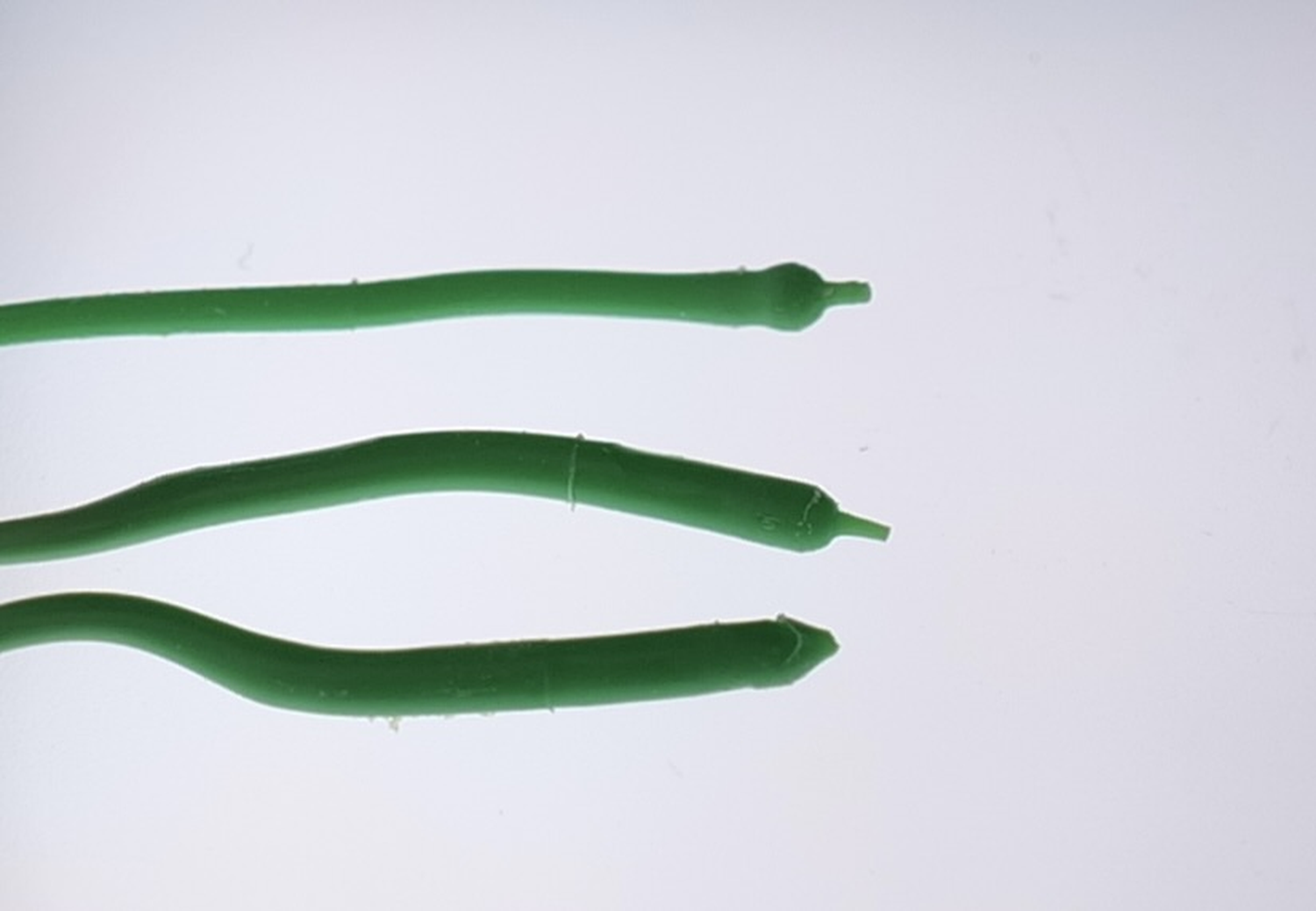
That’s it! You have successfully performed the cold pull operation to clean your nozzle. If you see small black dots of dust or debris stuck to the filament, it’s a good idea to perform the operation a few times, until the pulled filament is clear.
Video Guide
A video guide showing the cold pull procedure is also available.