Alignment, Meshing, Color, and Export
Part 5 / 7
Final Model Pipeline
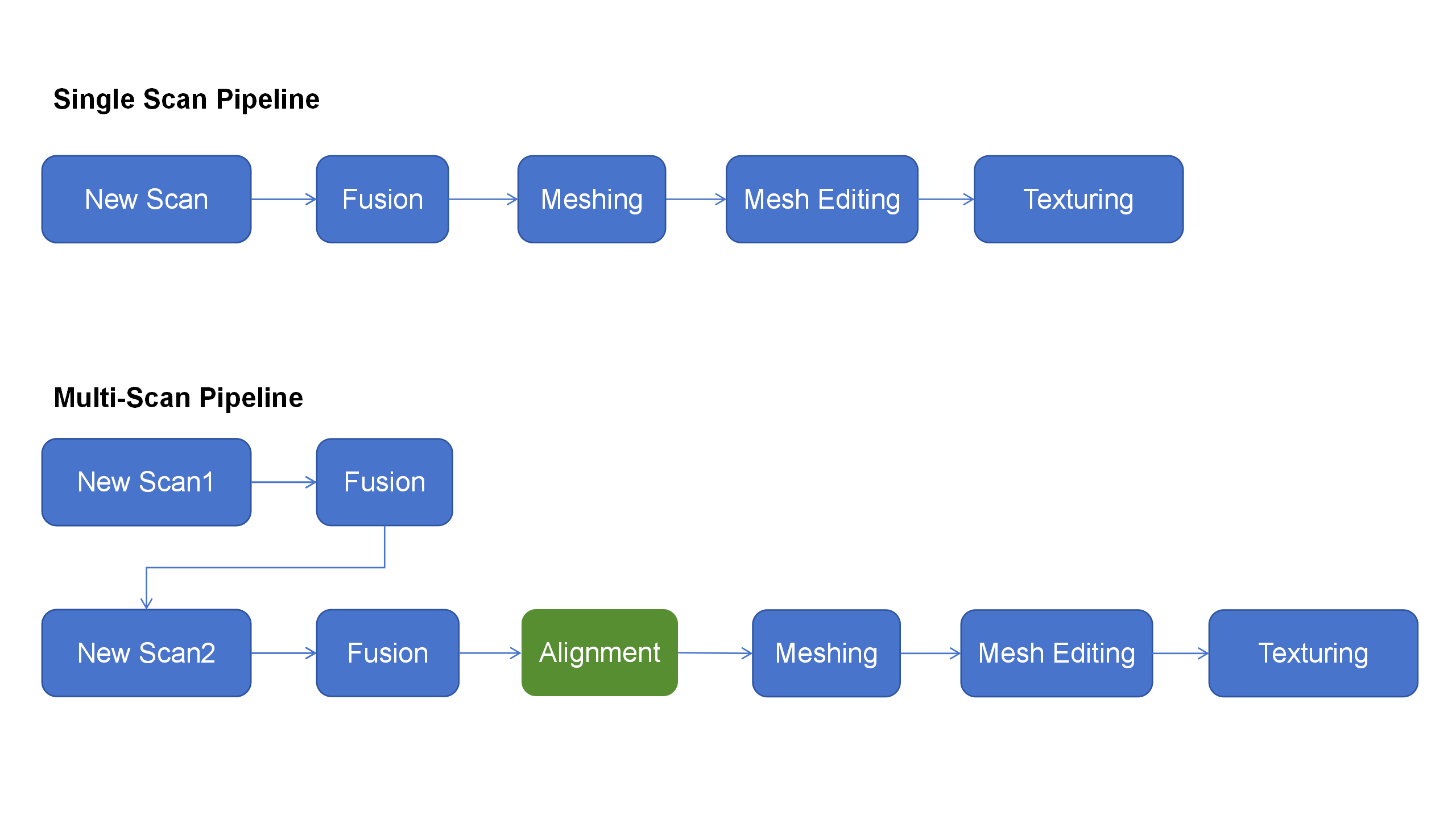
The final model is only as good as the cleaned and aligned point cloud. Use marker alignment or manual alignment when multiple scan sets need to become one model.
- Clean each point cloud.
- Fuse single-session data or batch-process multiple scan sets.
- Use manual marker alignment when two data sets share common markers.
- Mesh after alignment is stable.
- Inspect holes, thin edges, scale, and orientation.
- Apply color mapping only when visual texture is needed.
- Export the format required by the next workflow.
Quality Standard
- No visible drift or doubled walls.
- Important holes and grooves are preserved.
- Surface noise is acceptable for CAD, printing, measurement, or visualization.
- The mesh is oriented and scaled correctly before export.