Support Material in 3D Printing
This guide will show you when support material is needed, when it’s not needed, and the settings behind it.
1. Introduction to Supports
Because 3D printing is done layer by layer, some more complicated objects need supports. Most slicer software (including Orca Slicer) can produce it automatically, but automatic supports can be difficult to remove.
2. How Do 3D Printed Supports Work?
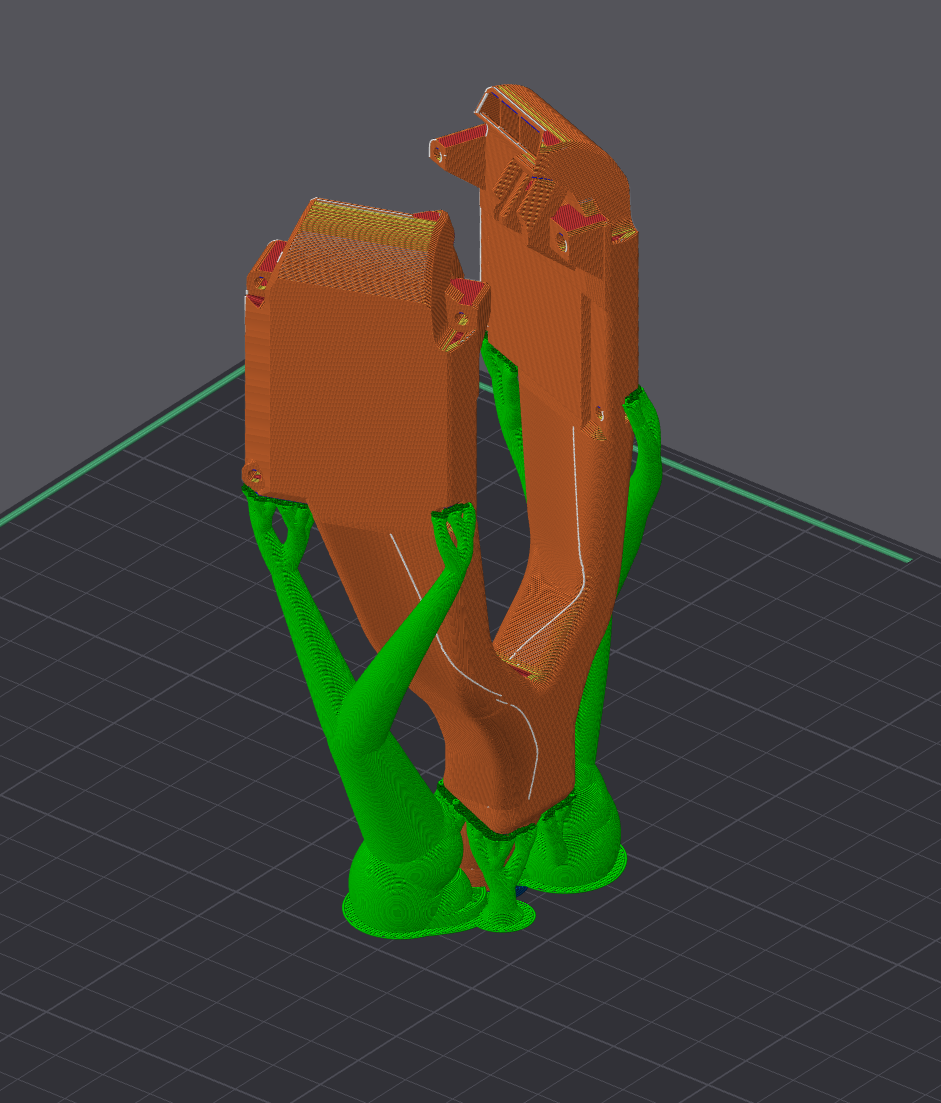
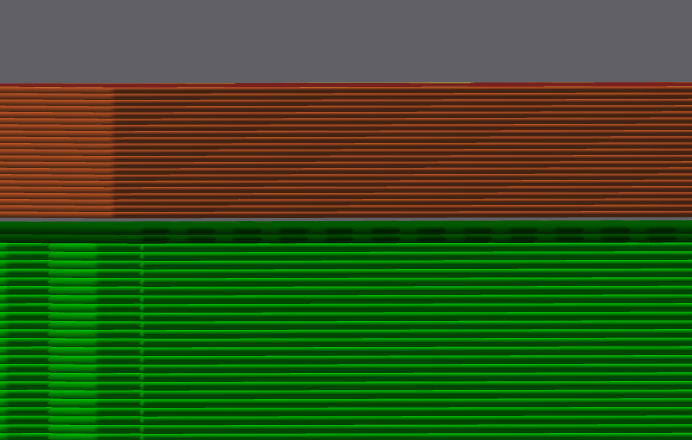
When supports are printed, they will leave a very small gap between the part and the support interface. This (theoretically) allows for the plastic to print in mid-air while also slightly adhering to the support material. With a well-tuned printer with adequate cooling, the support material can be snapped off (hopefully) or scraped off/sanded off (if things went bad). Without enough part cooling, the supports will become apart of the print, and now you’ll have to cut them off. This is why slicers will automatically turn part cooling to 100% when printing overhangs or cantilevers over supports.
3. Why Supports Should Be Avoided (Sometimes)
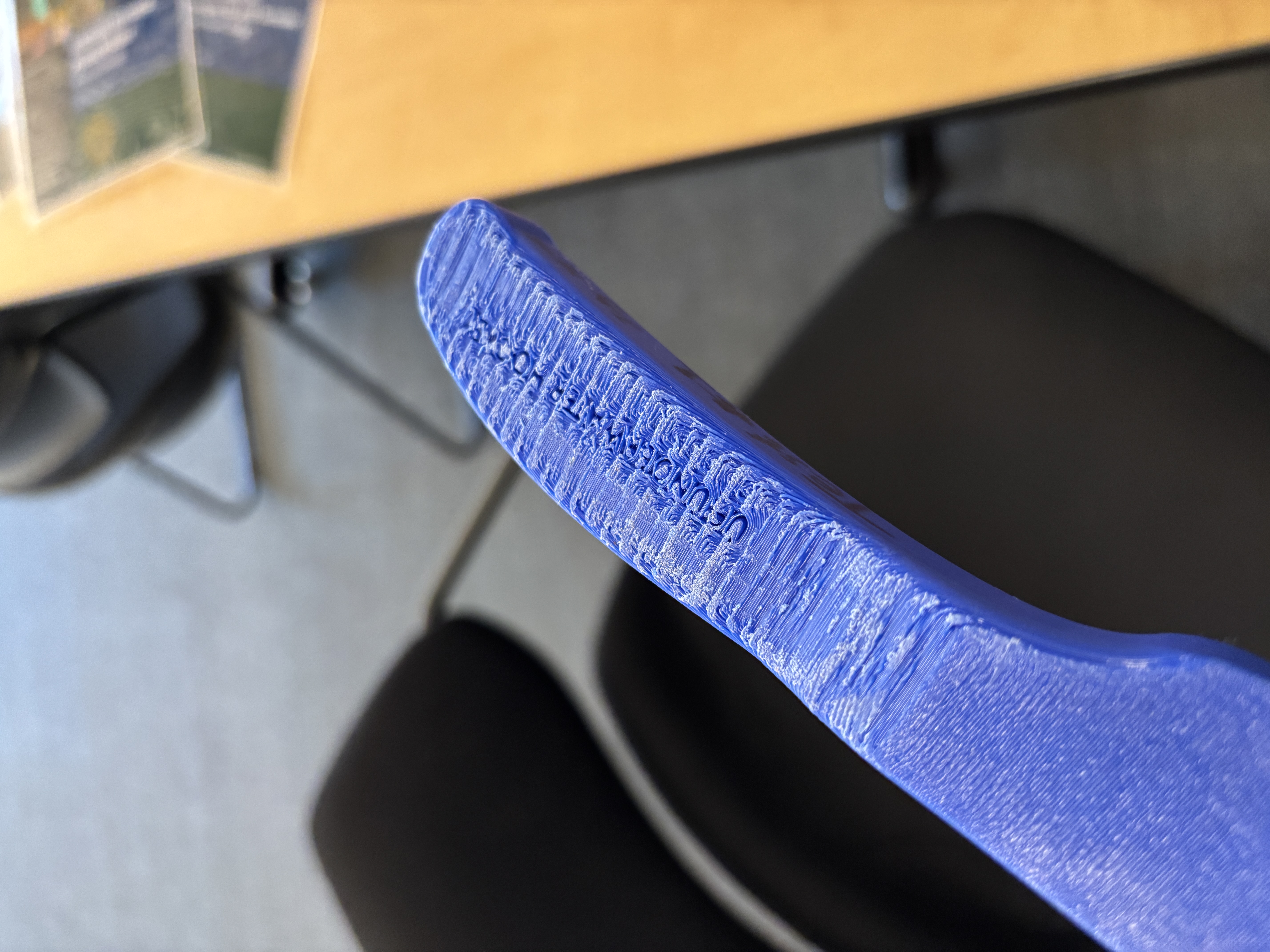
Supports aren’t perfect. They will still leave a slightly messy print above, unless you use a multi-material setup with detachable support material (fancy). Alas, there are some situations when they cannot be avoided.
4. Support Settings in Orca Slicer
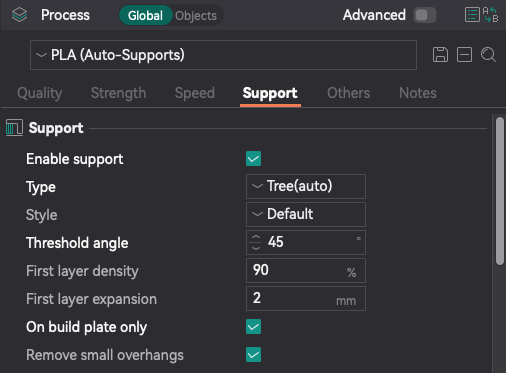
Support settings are found under “Process” in the “Support” tab. The most important settings are described below (you can leave all others default):
- Type: Either Normal (auto or manual) or Tree (auto or manual). Tree supports are way better (in my opinion) because can reach areas that normal supports can’t reach. Normal supports can only stay vertical while tree supports can be angled like branches.
- Threshold angle: The angle from horizontal that will be found and supported automatically. For example; a threshold of 29 degrees won’t put supports on 30 degree overhangs.
- On build plate only: This will make sure the base of supports are only printed on the first layer. This is why tree supports are useful, they can be started on the first layer and angled towards places normal supports can’t reach. If you need to turn this off to support your model EVEN with tree supports, think about redesigning your object or re-orienting it (You may not be able to remove the supports after if they print inside your model).
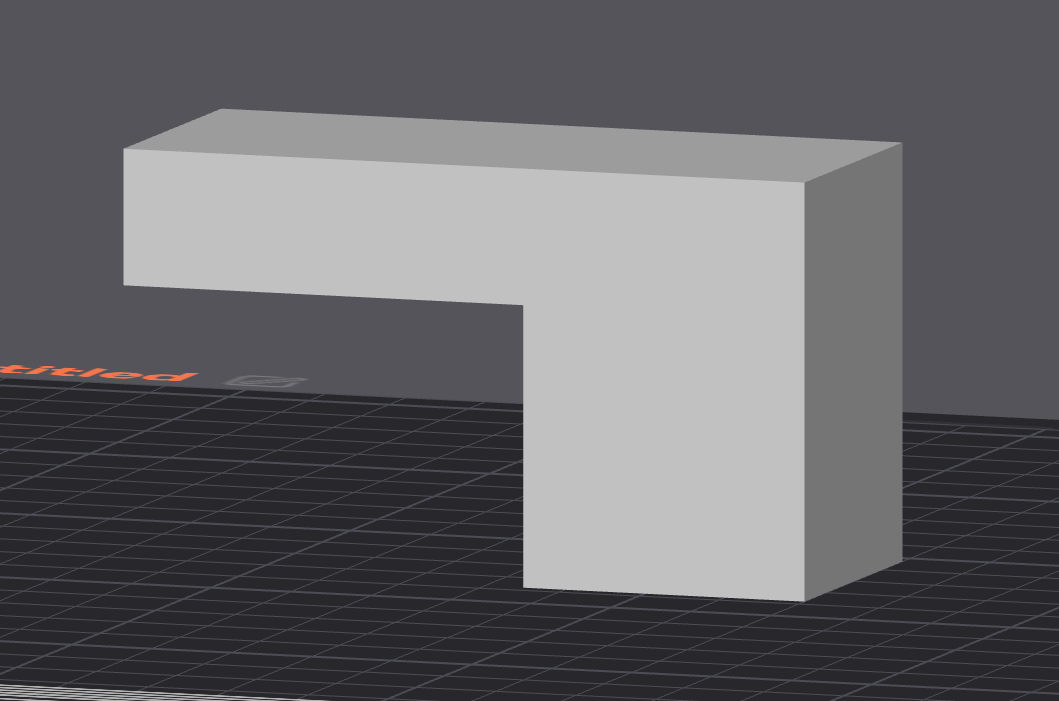
5. Supports Needed: Floating Cantilevers (Part 1)
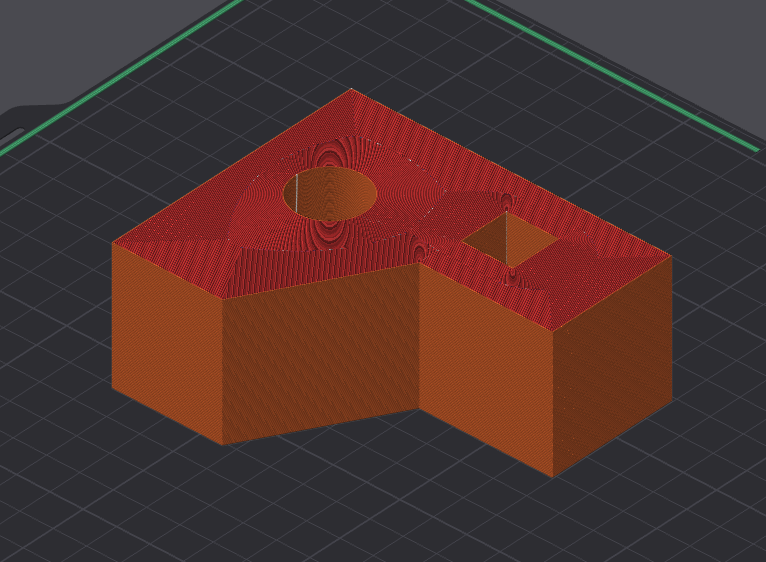
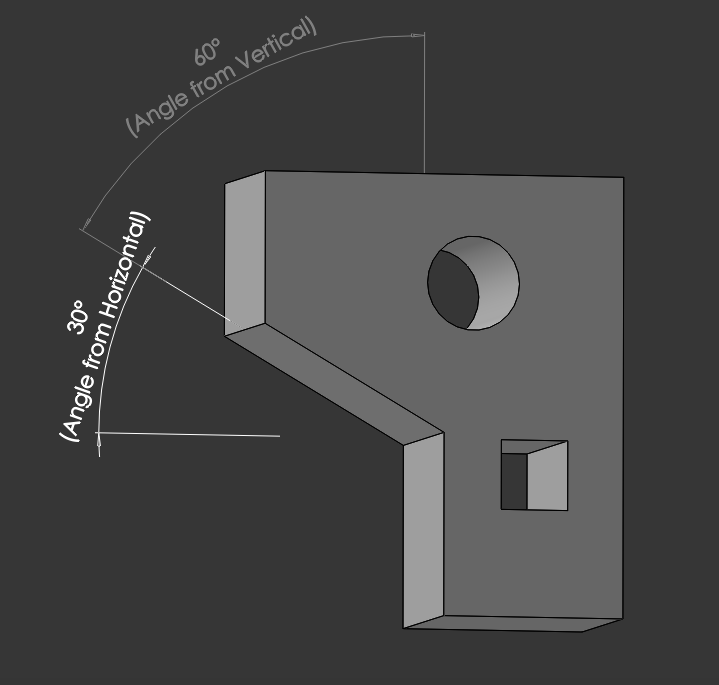
This very simple object is a perfect example of when supports are needed. Before moving to the next step in this guide, think of why.
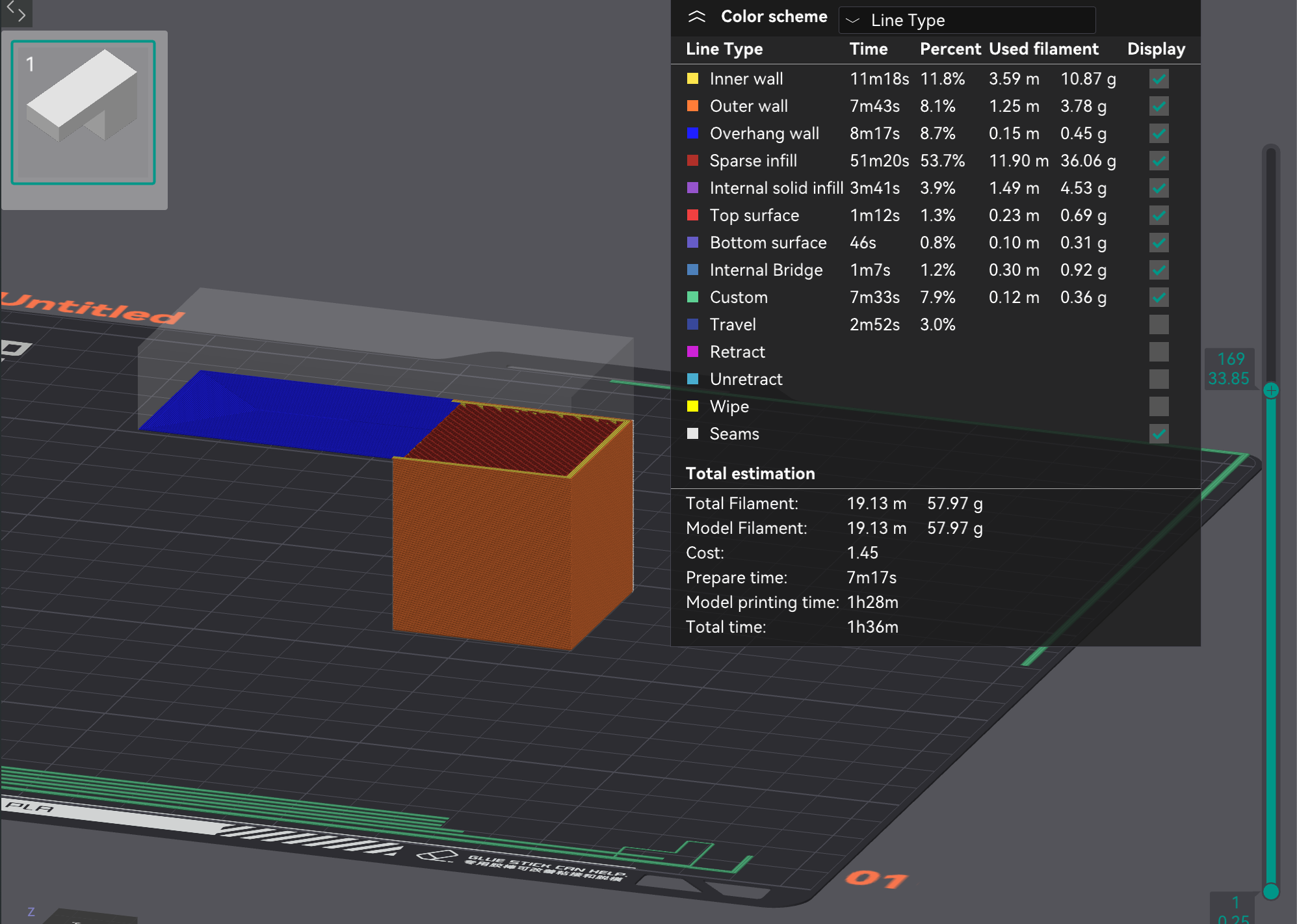
6. Supports Needed: Floating Cantilevers (Part 2)
When the object is printed layer by layer, it reaches a point where there is a “floating cantilever”, a part being printed in mid-air. Orca Slicer calls this a “overhang wall”. While technically an overhang, its completely horizontal. This area absolutely requires supports unless you want the print to fail.
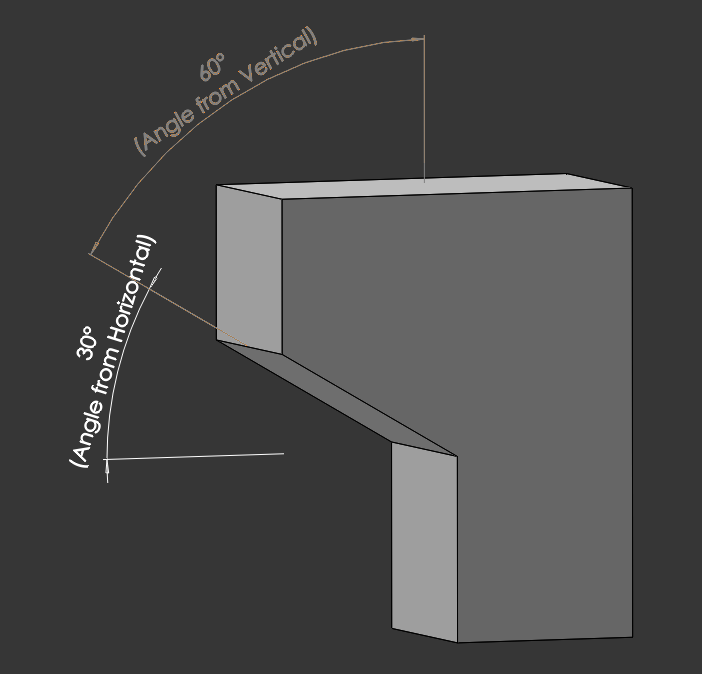
7. Supports Needed: Overhangs
Some objects may not print anything in mid-air, but will print steep overhangs such as the one shown here. The rule of thumb for overhangs on most 3D printers is that anything below 45 degrees from horizontal (or above 45 degrees from vertical) requires supports. This can be pushed to 40 or even 35 degrees if needed but it might look ugly when printed. For supports, Orca Slicer uses measurements from horizontal, but some slicers use vertical angles.
8. Supports Not Needed: Holes
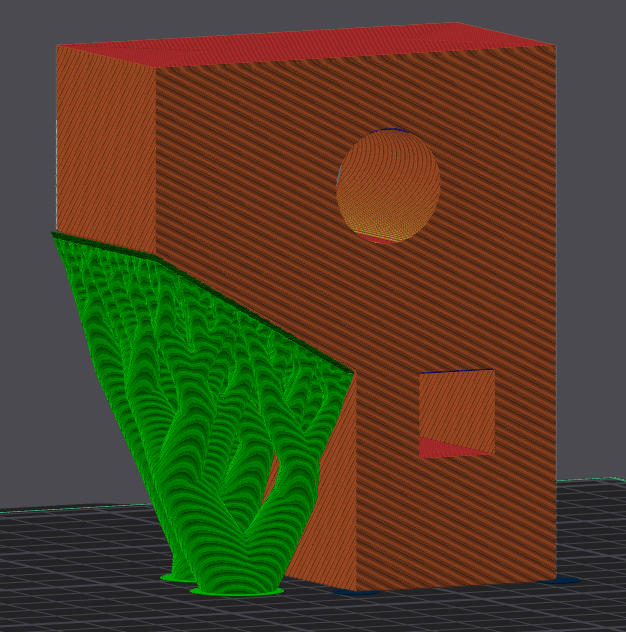
Supports are usually not needed on horizontally printed holes. Slicers will automatically add supports to these which wastes material and time. This model would do best with manual supports. With a well-tuned printer, the square hole will be printed as a series of bridges, which are different from floating cantilevers, as they have a place to terminate. The circle hole may look messy at the very top, but this will be discussed in the “Design for 3D Printing” guide.
9. Supports Not Needed: Fillets
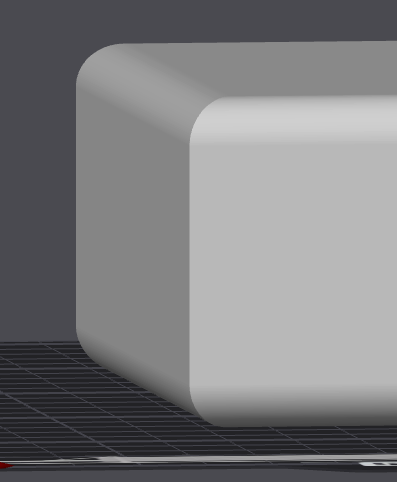
Many designers like to put fillets everywhere on their models to make them look better. Using auto-supports in slicers will put supports at the bottom of your model since fillets have a very steep overhang at the beginning. Well-tuned printers can print these without problems (if there is enough cooling and the build plate isn’t too hot, especially for PLA). Adaptive layers can help print quality in situations like this, which is discussed in the next step.
10. Adaptive Layers (Printing Horizontal Cylinders)
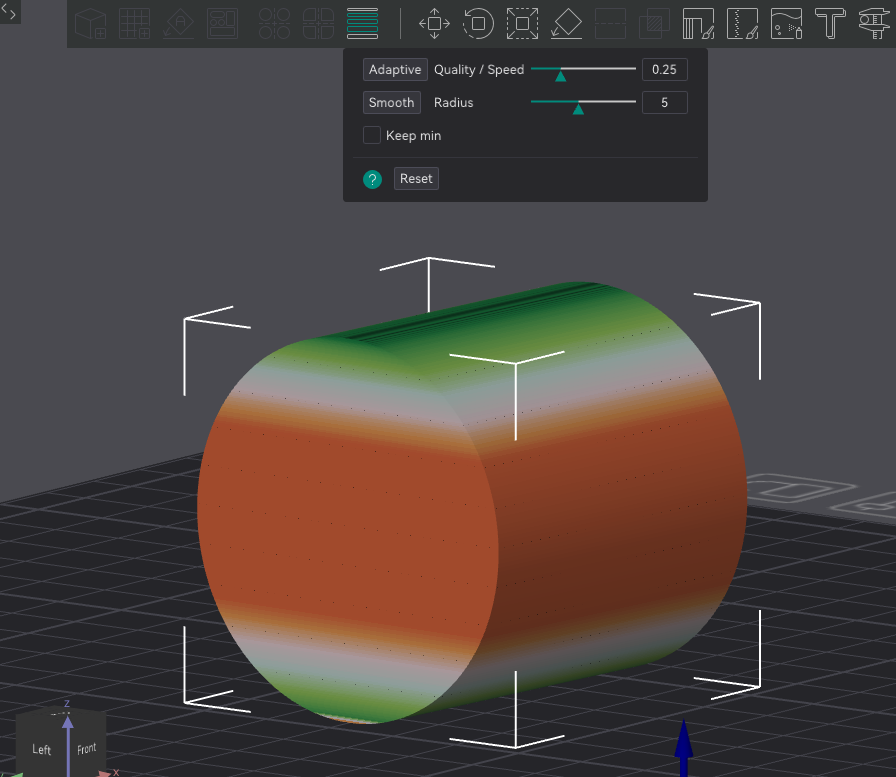
Supports don’t work well for certain situations, like this horizontal cylinder or fillets on the bottom of models. You may need to print cylinders like this for strength purposes, or your model will have vertical and horizontal cylinder shapes. For this situation, turning on adaptive layers with a focus on quality helps (lower number for “Quality/Speed”). The layer height will be lowered significantly so overhangs are printed better. When you set the number, click on adaptive to apply it. You should still use supports, but you need to use “Normal” type supports as tree supports aren’t currently compatible with adaptive layers.
If you have overhangs that are steeper than 40 degrees and you cannot support them easily, adaptive layers will always help increase overhang quality.
11. Adding Manual Supports in Orca Slicer (Part 1)
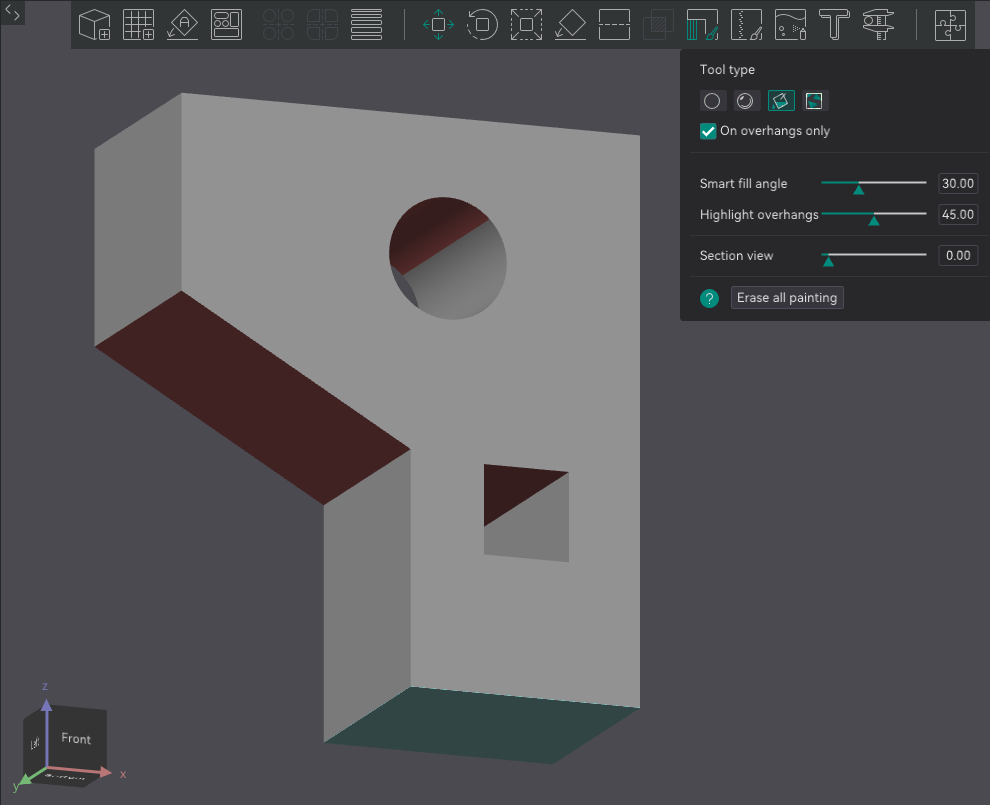
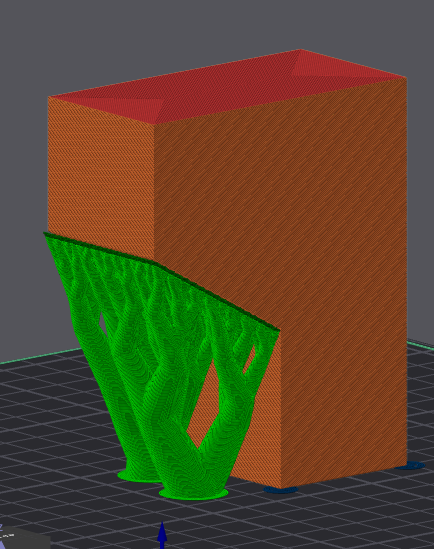
Set your supports to Tree (Manual). When in the “Prepare” tab, click on the object, then click on the icon in the red box (showing support material with a brush). Select the fill tool, then check “On overhangs only”. Since this object has an overhang of 30 degrees, the “Highlight overhangs” option will highlight it red when set above this. Setting it to 29 will hide it. Simply click on the red area to make it turn yellow (or green depending on version). There are other tool types for adding supports, but generally fill is always used. Paint can be used for when you don’t want the entire area to be filled.
12. Adding Manual Supports in Orca Slicer (Part 2)
Congrats, the overhang (or floating cantilever) is now supported, and the unnecessary support is removed!
13. Could This Have All Been Avoided?
Yes! You could have just rotated the object onto its side and now you don’t even need supports. You also won’t get any messy circles, overhangs, or bridges.