Marker Layouts for Raptor Pro
Part 4 / 8
Marker Rules
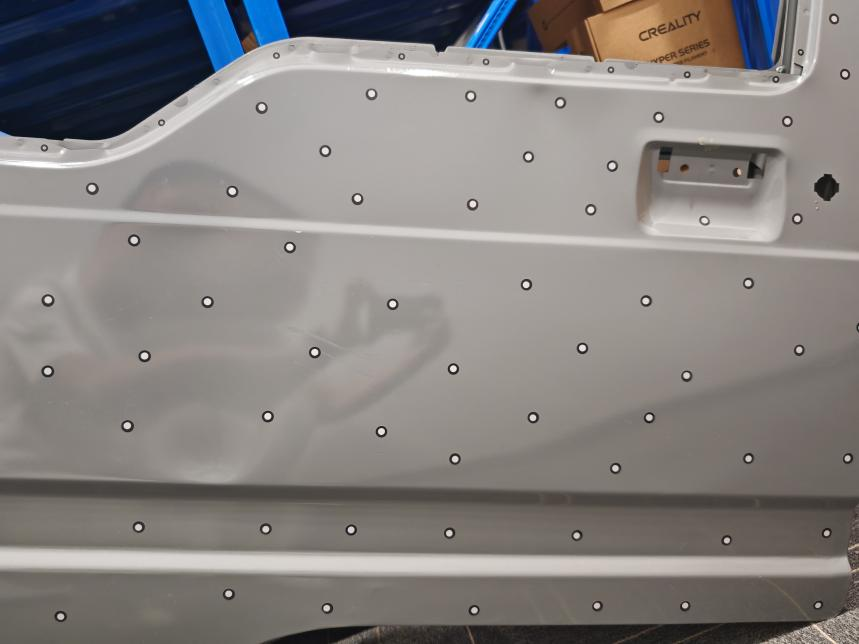
Raptor Pro blue laser workflows depend on marker tracking. The scanner needs enough shared markers from one frame to the next, so placement matters as much as quantity.
- Place markers randomly, not in straight lines, circles, or repeating patterns.
- Keep markers flat. Do not bridge holes, sharp edges, or right-angle corners.
- Use larger markers on broad surfaces and smaller markers near narrow features.
- For Raptor series cross-line mode, Creality guidance lists reference spacing around 60-100 mm.
- For Raptor series parallel-line mode, Creality guidance lists tighter spacing around 20-50 mm.
During Preview
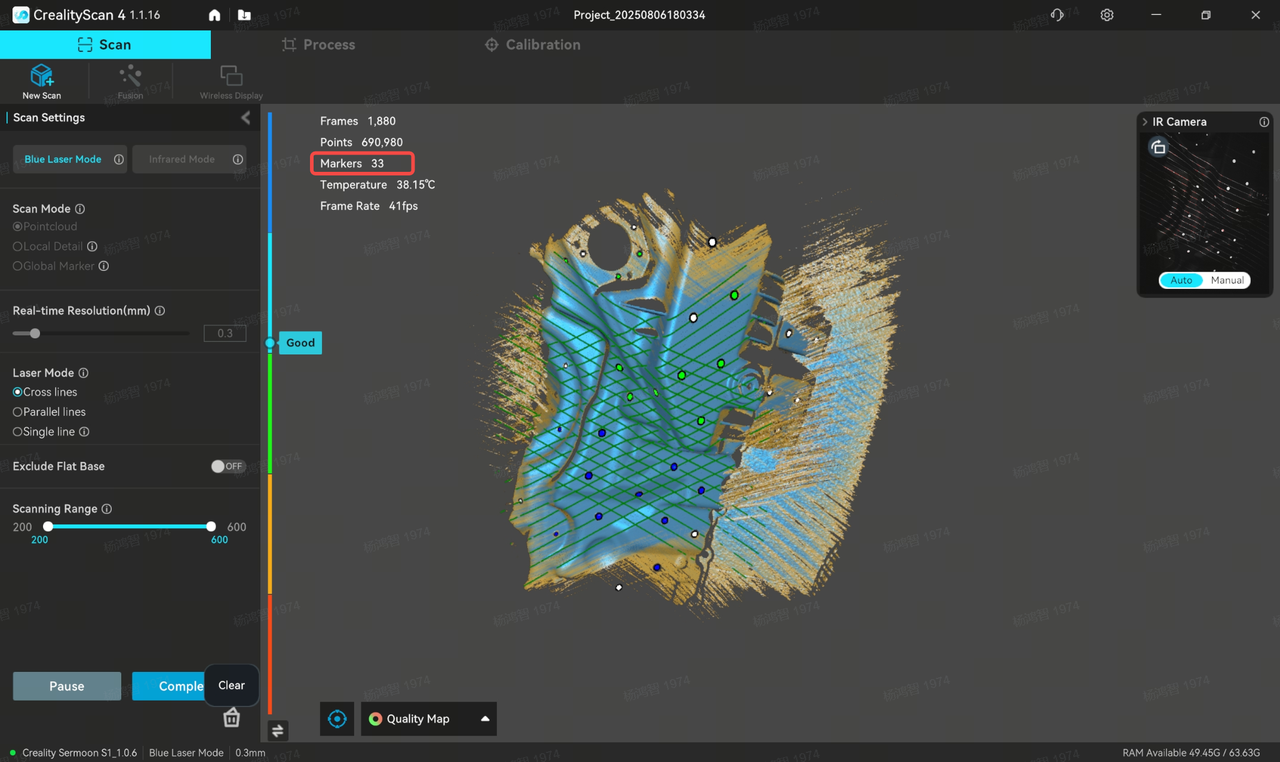
- At least four markers should remain visible in the scanning view as the scanner moves.
- Marker colors in the interface follow the distance indicator behavior.
- If CrealityScan reports too few markers, pause and add markers in the weak region.
- If markers are present but not detected, fix exposure before adding more markers.