Exposure and Brightness for Raptor Pro
Part 5 / 8
Tune Before Scanning
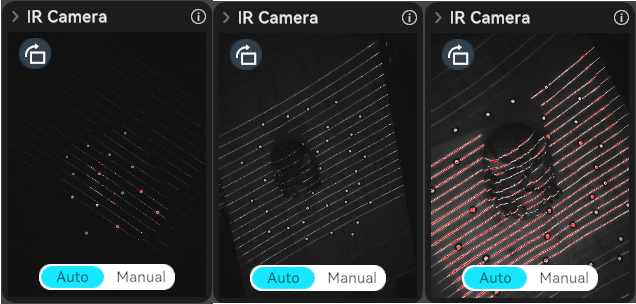
Exposure is a quality gate. In laser mode, tune both camera exposure and laser brightness so markers and laser lines are bright enough without becoming overexposed.
- Switch to manual exposure when auto exposure does not show stable markers or clean laser lines.
- Adjust IR camera exposure until markers are visible but not overexposed.
- Adjust laser brightness until the blue lines are continuous and sharp.
- Change the scanning angle if reflective highlights wash out the line.
- Start the scan only after the preview point cloud is complete enough.
NIR Exposure
For large targets such as people, auto exposure can be useful. For smaller objects or mixed surfaces, manually tune IR exposure to avoid sparse point clouds.